

Operating System Operations on Processes
What is a Process in an OS?
A process is essentially a program that is currently being executed. During its lifecycle, it moves through various stages, and at each stage, specific operations are performed that help the process progress toward completion.
Process States Overview
A process does not remain static; it transitions through multiple states during execution:
- New: The process is being created.
- Ready: All required resources are allocated, and the process is waiting for CPU time.
- Running: The CPU is actively executing the process instructions.
- Waiting (Blocked): The process is paused until a particular event occurs, such as completion of an I/O operation.
- Terminated: The process has finished execution and is removed from the system.
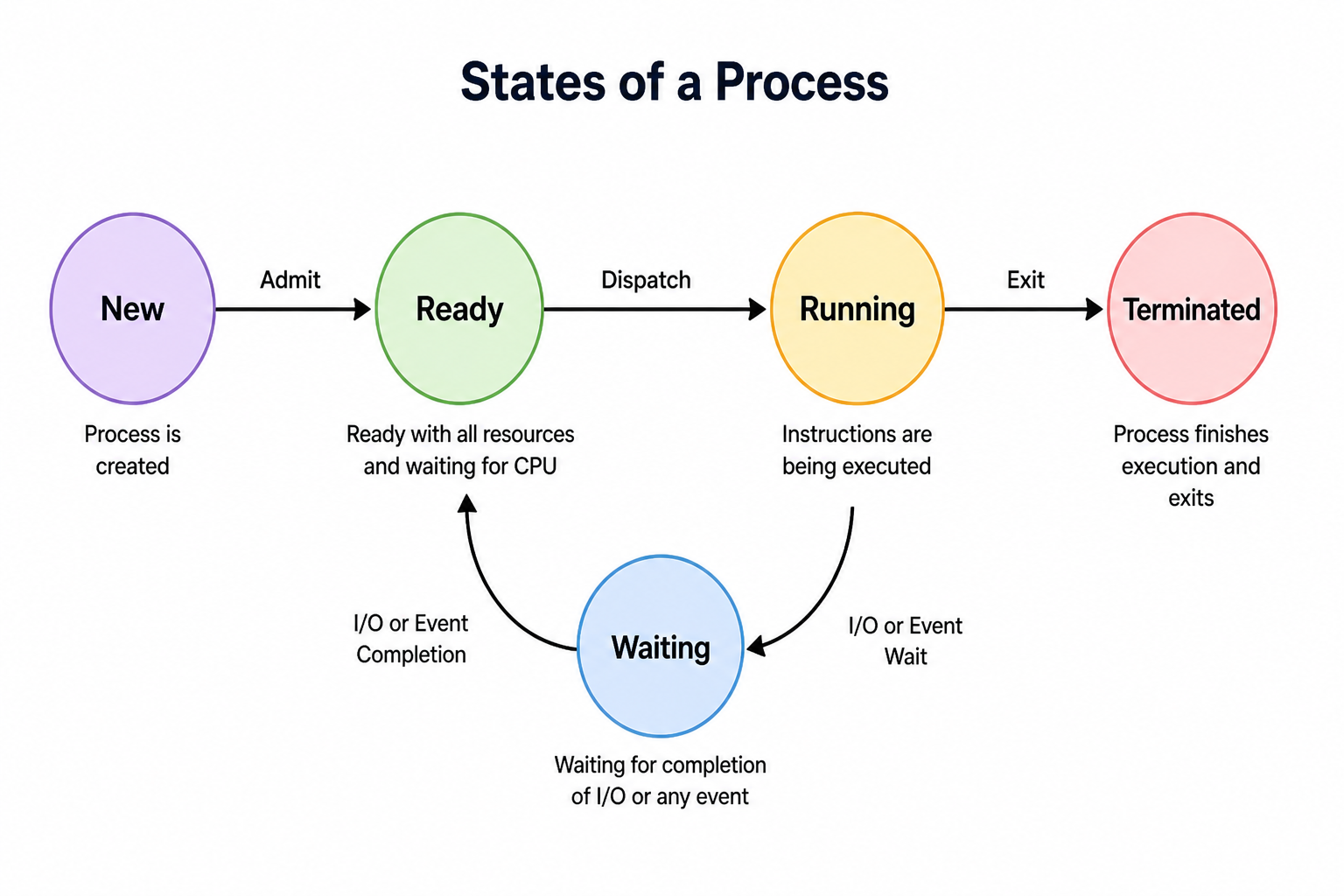
A standard process transitioning through states
Operations on Processes
Process operations occur either when a process is in a specific state or when it moves from one state to another. The main operations include:
- Process Creation
- Process Dispatch
- Process Preemption
- Process Blocking
- Process Termination
1. Process Creation
This is the initial step when a process enters the system and corresponds to the New state. A process can be created in several ways:
- System startup: The OS creates essential system and background processes during boot.
- User action: When a user runs an application.
- Creation by another process: A running process can generate a new one using system calls.
- Batch processing systems: Jobs are created automatically.
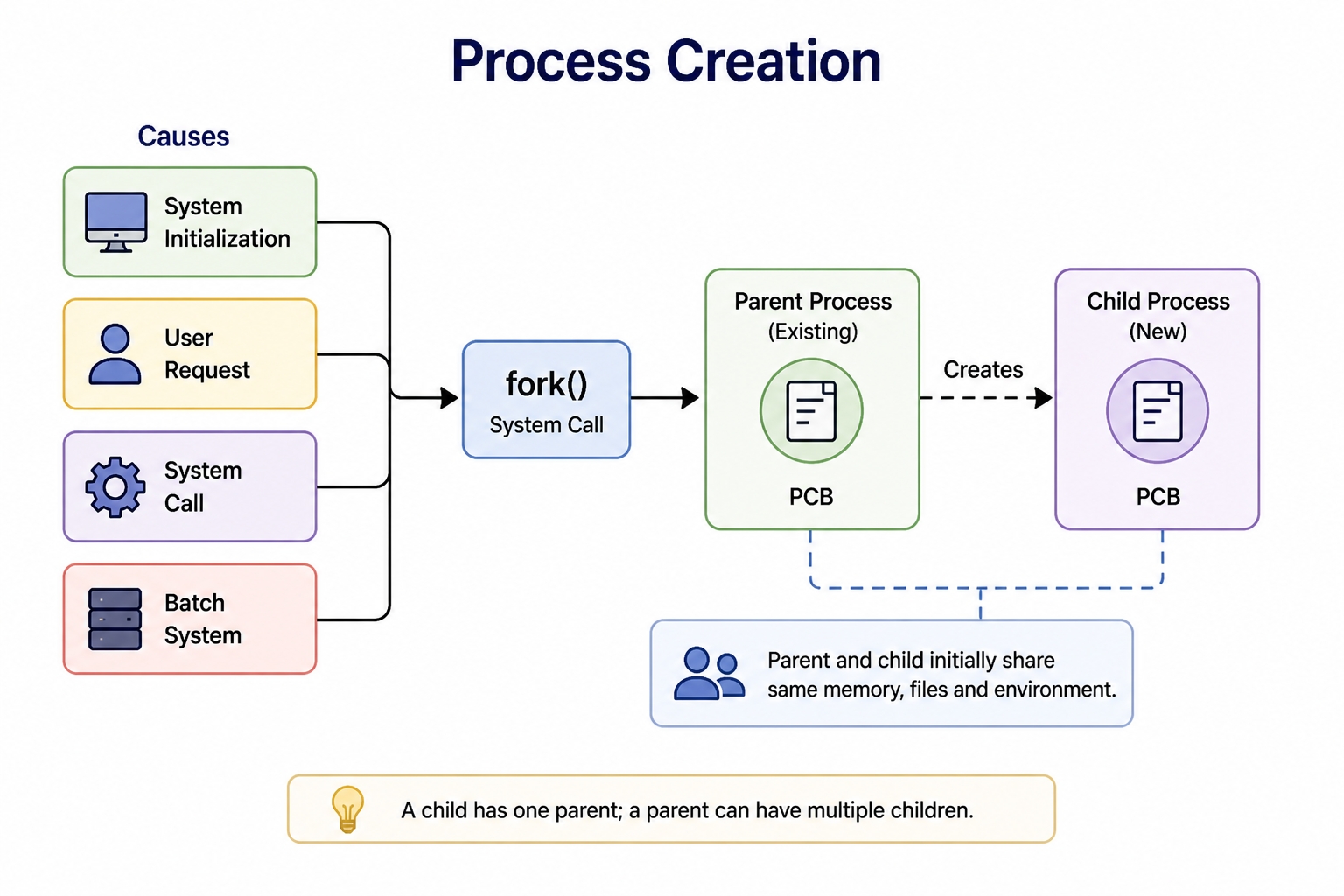
A parent process creating child processes
2. Process Dispatch
Dispatching occurs when the scheduler selects a process from the Ready state and assigns it to the CPU for execution.
During dispatch, the system loads the process's state from its Process Control Block (PCB) so execution can begin. This can happen under several conditions:
- The CPU becomes free
- The current process finishes its time slice
- A higher-priority process arrives
- A hardware interrupt occurs
3. Process Preemption
Preemption refers to temporarily stopping a currently running process so another process can use the CPU.
When preemption happens, a context switch takes place. The current process's state is saved in its PCB, allowing it to resume later from the exact same point.
- Time slice expires: The process has used up its allotted quantum of CPU time.
- Higher-priority process: A more important process enters the system and demands immediate CPU attention.
- Interrupt occurs: A hardware interrupt forces the CPU to switch contexts.
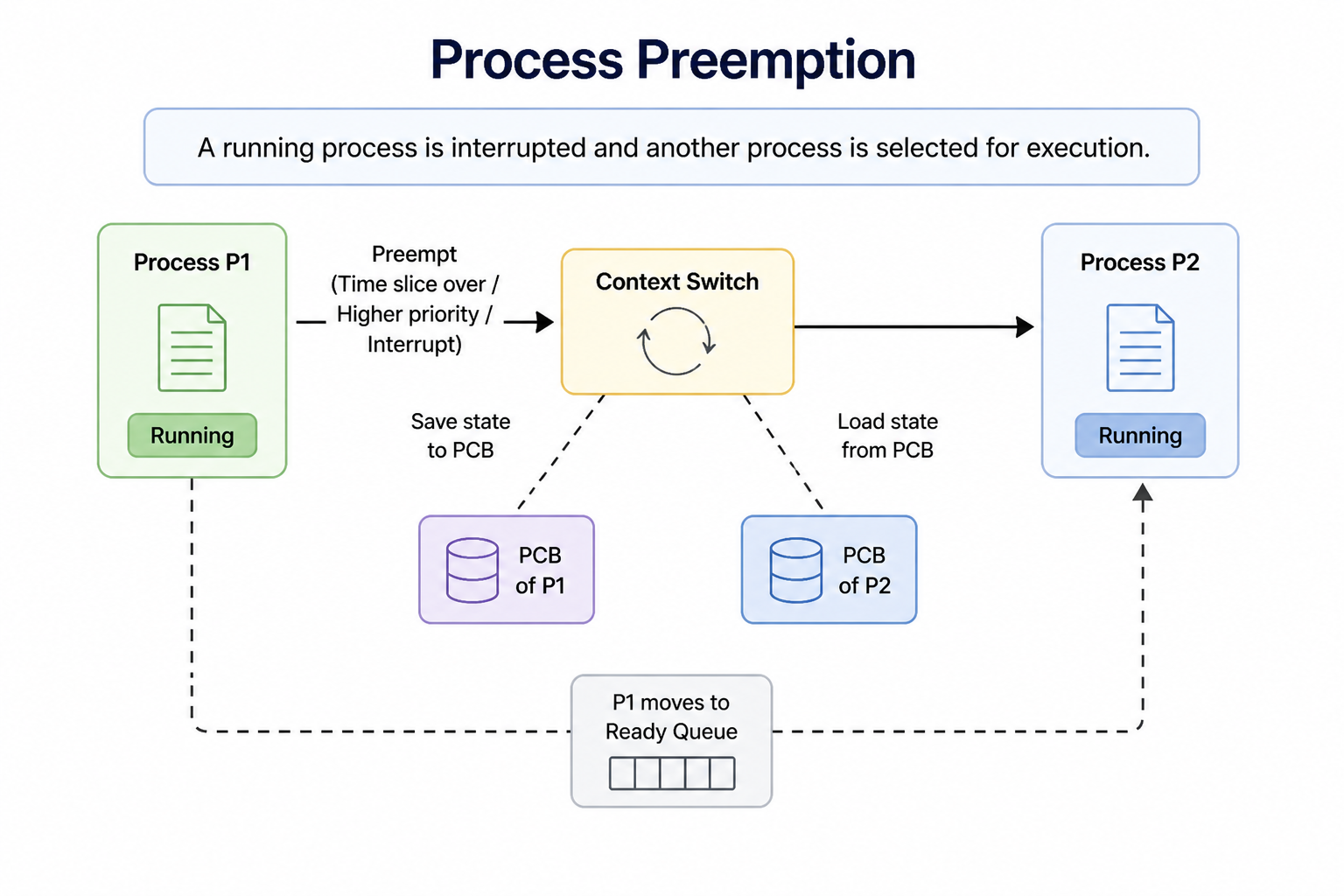
Preempting a running process to allocate CPU elsewhere
4. Process Blocking
A process moves to the Waiting state when it cannot continue execution until a certain event occurs.
In such cases, the OS removes the process from the CPU. Once the required event is completed, the process returns to the Ready state to await execution again.
- Waiting for input/output operations to complete
- Waiting for system resources or signals from other processes
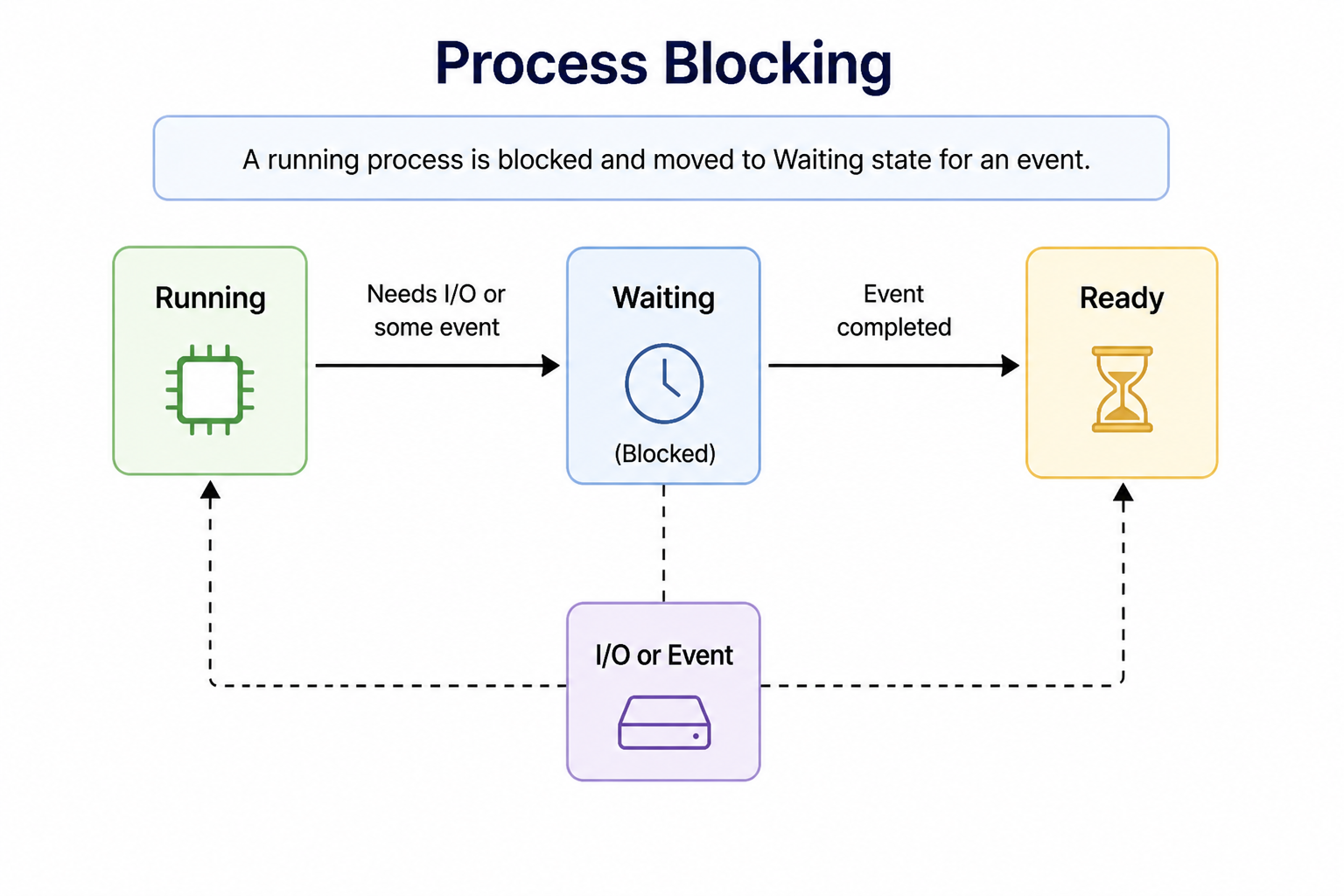
A process blocking while waiting for resources
5. Process Termination
Termination marks the end of a process, after which all its allocated resources are released.
- It completes its execution normally.
- It is terminated intentionally by its parent process.
- Fatal errors or exceptions occur.
- Hardware failures happen.