

What is a Process?
A process is simply a program that is currently being executed. It represents an active entity in the system, performing a sequence of operations step by step.
In simpler terms, when you write a program and save it as a file, it’s just static code. The moment you run that program, it becomes a process, and the system starts executing its instructions.
A process is considered the smallest unit of work handled by the operating system.
Memory Layout of a Process
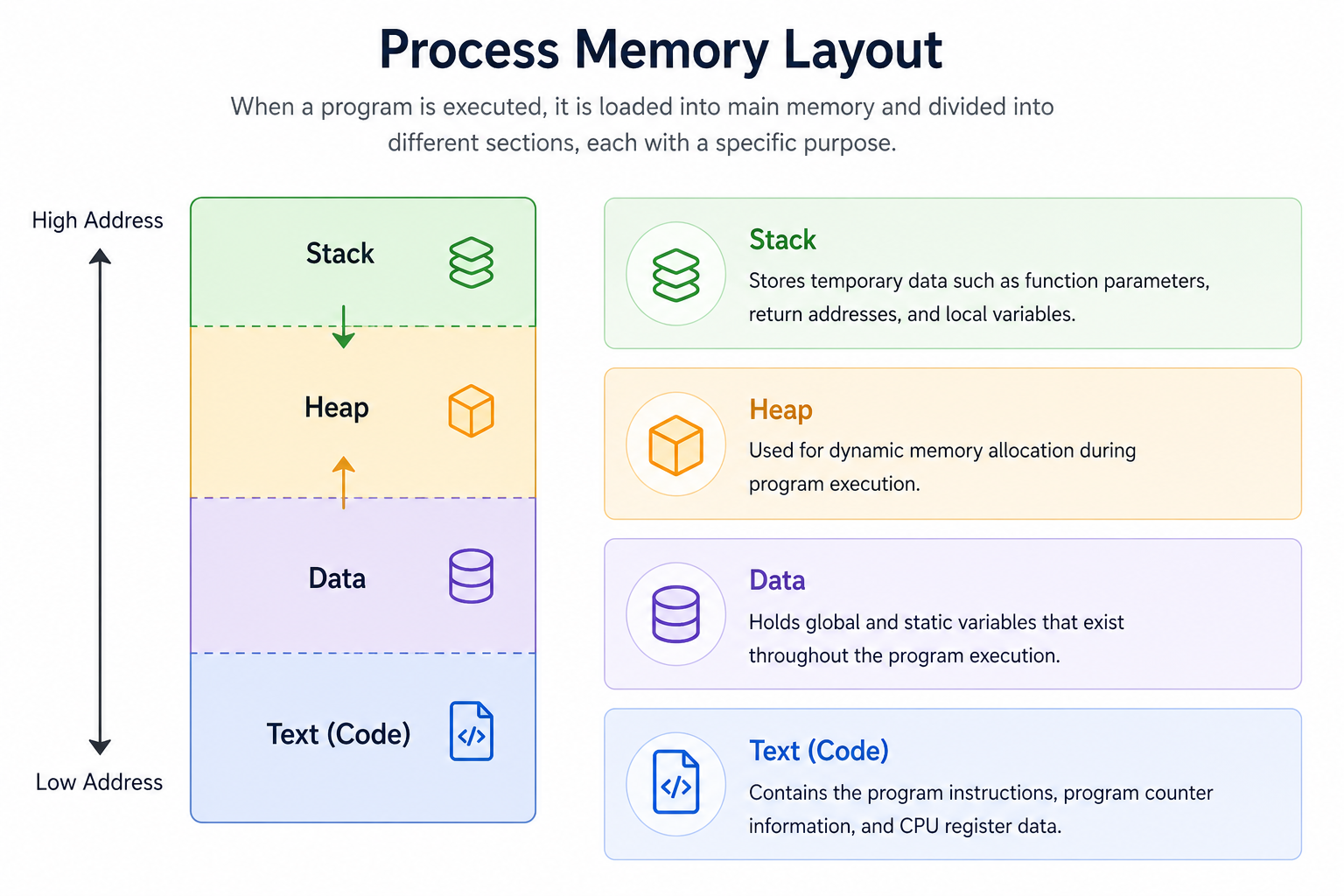
A typical process memory layout
Once a program is loaded into memory and starts running, it is divided into different sections, each serving a specific purpose:
| Segment | Purpose | Key Characteristics |
|---|---|---|
| Stack | Stores temporary runtime data like function parameters, return addresses, and local variables. | Works in a LIFO (Last In, First Out) manner. |
| Heap | Used for dynamic memory allocation during runtime. | Memory is allocated and freed manually (or via garbage collection in some languages). |
| Data Segment | Stores global and static variables. | Exists throughout the entire program execution. |
| Text Segment | Contains the actual compiled program instructions. | Read-only section, also includes program counter information. |
What is a Program?
A program is a set of instructions written in a programming language to perform a specific task. It can be very small or extremely large depending on its purpose.
For example, a simple C program:
#include <stdio.h>

int main() {
   printf("Hello, World!\n");
   return 0;
}
Program vs Process
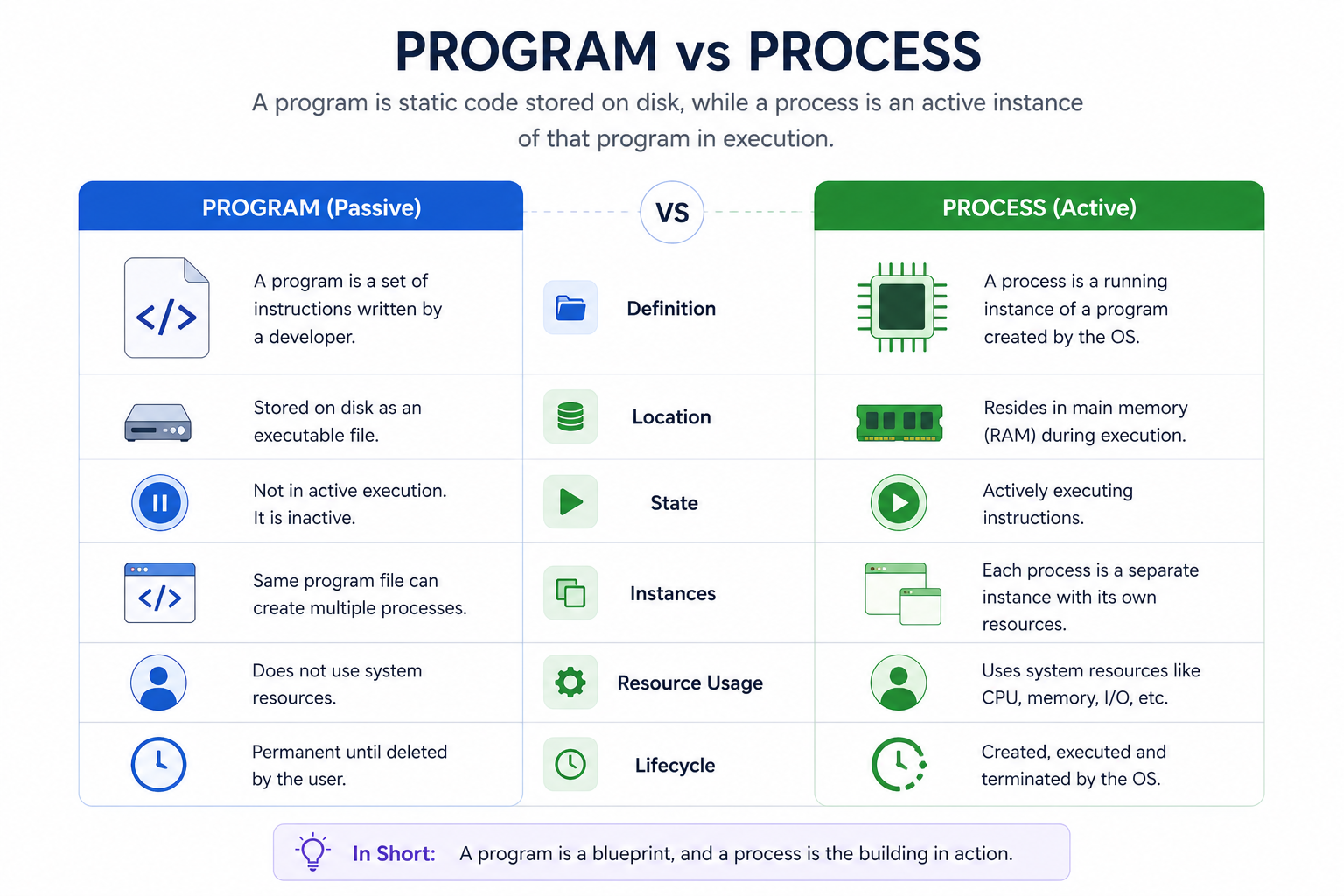
Comparison between a static program and an active process
A program is passive (just code stored on disk), while a process is active (the program in execution).
So, you can think of a process as a live instance of a program.
Process Life Cycle
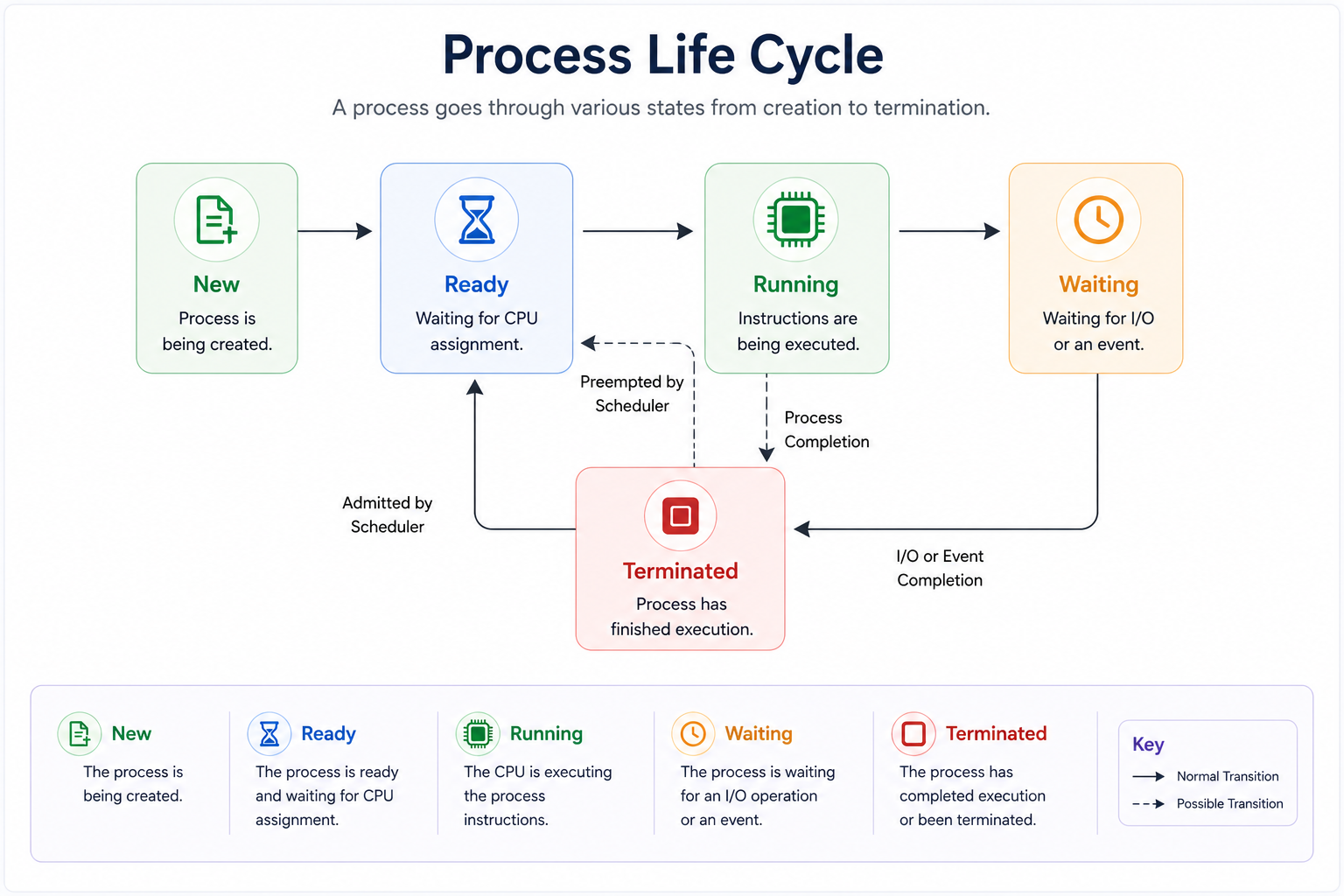
The various states a process moves through during its lifetime
As a process executes, it moves through different stages. While naming may vary across systems, the core states remain similar.
| State | Description |
|---|---|
| New (Start) | The process is actively being created by the OS. |
| Ready | The process is prepared to run and is waiting for CPU allocation. |
| Running | The CPU is actively executing the process instructions. |
| Waiting (Blocked) | The process is paused until a resource becomes available (e.g., waiting for input or file access). |
| Terminated (Exit) | Execution is completed or stopped, and the process is removed from memory. |
Process Control Block (PCB)
The Process Control Block (PCB) is a vital data structure used by the operating system to manage processes. Each process has its own PCB, identified using a unique Process ID (PID).
The PCB exists for the entire lifetime of the process and is deleted once the process finishes execution. It keeps all essential details about a process:
| PCB Attribute | What it Stores |
|---|---|
| Process State | Current status (ready, running, waiting, etc.) |
| Process ID (PID) | Unique numerical identifier for the process |
| Privileges | Access permissions and security credentials |
| Parent Process Pointer | Link pointing back to the parent process |
| Program Counter | Address of the next instruction to be executed |
| CPU Registers | Stored register values so execution can resume later |
| Scheduling Info | Priority queues and scheduling algorithms details |
| Memory Info | Page tables, segment tables, and memory limits |
| Accounting Info | CPU usage, execution time limits, etc. |
| I/O Status Info | List of I/O devices and open files allocated to the process |
Final Note
Process Architecture Validation
Question 1 of 2Test your grasp on programs, processes, and the PCB.