

Process States in Operating System
When a program is executed, it becomes a process, and throughout its execution, it goes through multiple stages. The operating system controls this process and moves it between different states depending on factors like CPU availability, resource access, and system conditions.
Although different operating systems may use slightly different names for these stages, the core idea remains consistent.
Two-State Model
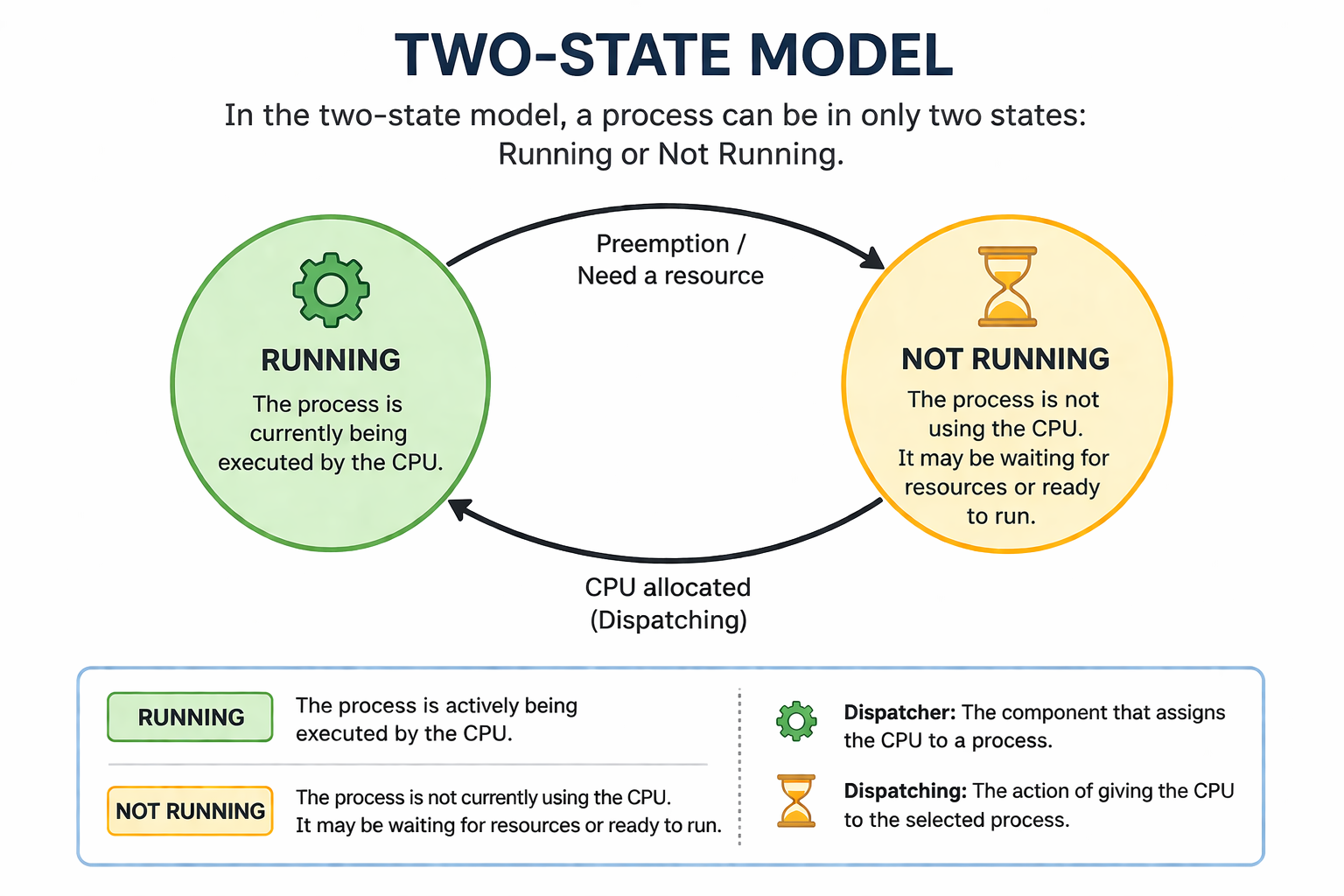
The simplest process state model: Running and Not Running
This is the most basic representation of process states. In this model, a process can exist in only two conditions:
| State | Description |
|---|---|
| Running | The process is actively being executed by the CPU. |
| Not Running | The process is not currently using the CPU. It may either be waiting for resources or ready to run. |
In this model, when a process is created, it starts in the not running state. Once the CPU becomes available, it is assigned to the process, and the process moves into the running state.
If the process needs to wait for input/output operations or other resources, it returns to the not running state.
The responsibility of assigning the CPU lies with a component called the dispatcher, and this allocation process is known as dispatching.
Five-State Model
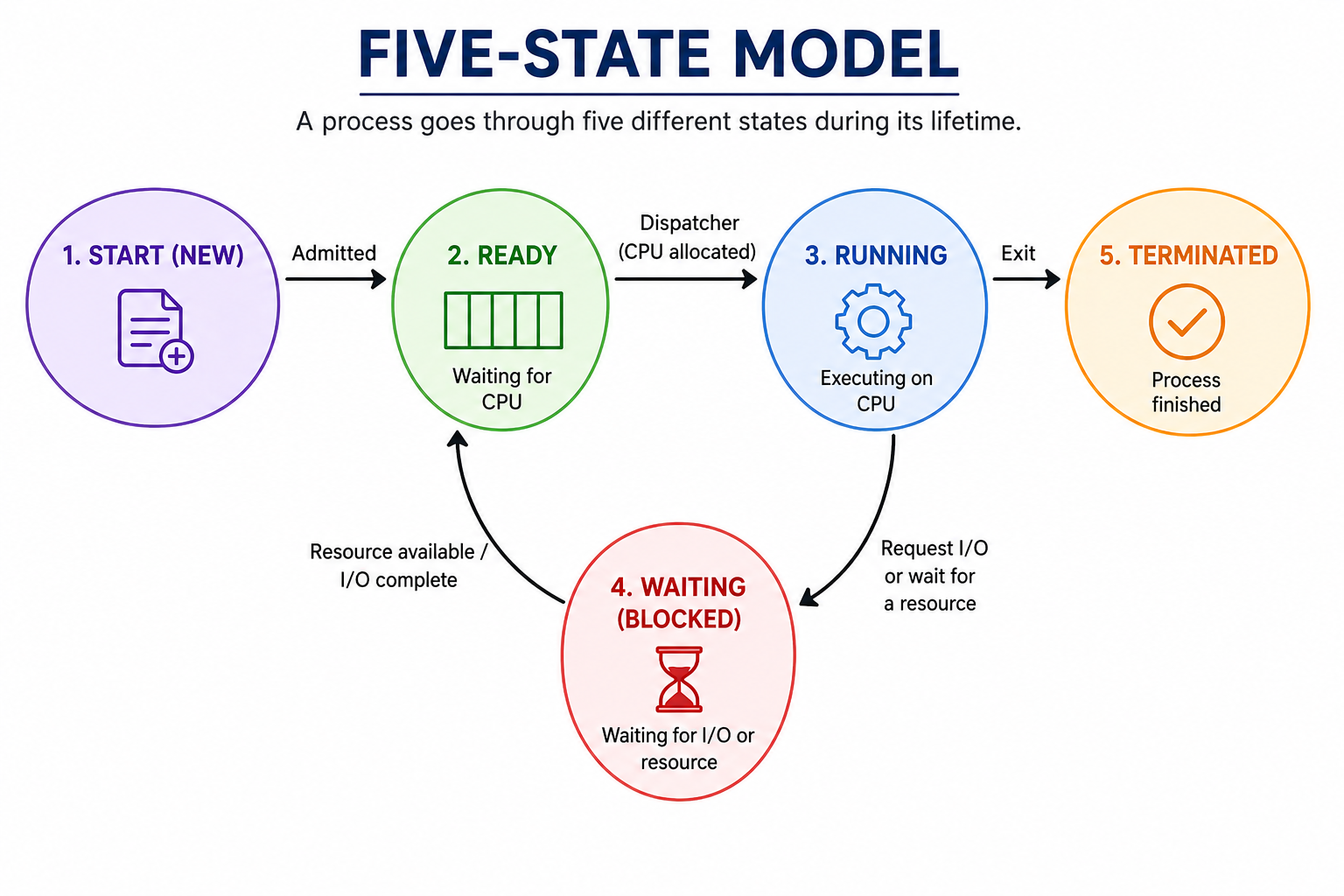
Breaking down 'Not Running' into distinct stages
The five-state model provides a more detailed view by breaking down the "not running" state into multiple precise stages.
| State | Description |
|---|---|
| Start (New) | The process is being created and initialized. It is not yet ready for execution. |
| Ready | The process is prepared to run and is waiting in a queue for CPU allocation. |
| Running | The CPU is actively executing the instructions of this process. |
| Waiting (Blocked) | The process is paused because it is waiting for a resource (e.g., waiting for user input or file access). |
| Terminated (End) | The process has finished execution or has been stopped, and it is removed from the system. |
Seven-State Model
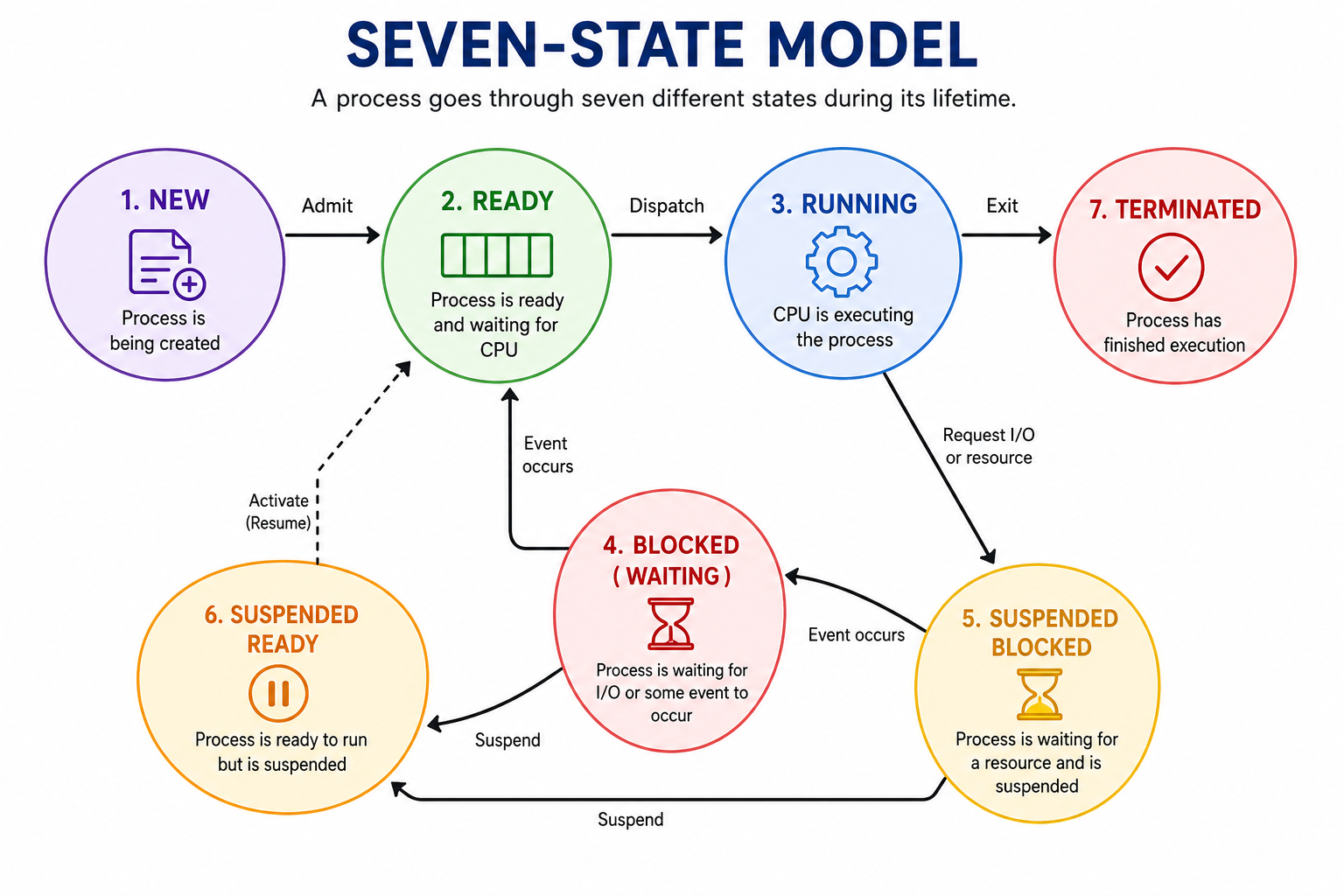
Introducing suspended states for advanced resource management
The seven-state model expands on the five-state model by introducing two additional states related to process suspension.
These additional states help the operating system handle processes more efficiently, especially in systems with limited resources or heavy workloads.
| Suspended State | Description |
|---|---|
| Suspended Ready | The process is ready to run but has been temporarily swapped out (paused) by the operating system to free up system memory. |
| Suspended Blocked | The process is already waiting for a resource, but it has additionally been suspended and moved to secondary storage to manage memory and avoid congestion. |