

What is Relational Algebra?
Relational algebra is a formal procedural query language. It accepts one or two relations (tables) as inputs, applies mathematical operators to them, and generates a new relation as output.
While SQL is a *declarative* language (you tell the database *what* data you want), relational algebra is *procedural* (it specifies exactly *how* to compute the result). In fact, database engines internally translate your SQL queries into relational algebra expressions to optimize and execute them!
Basic Operators (The Foundation)
These six operators form the absolute foundation of the language. Any query can theoretically be written using just these basic operators.
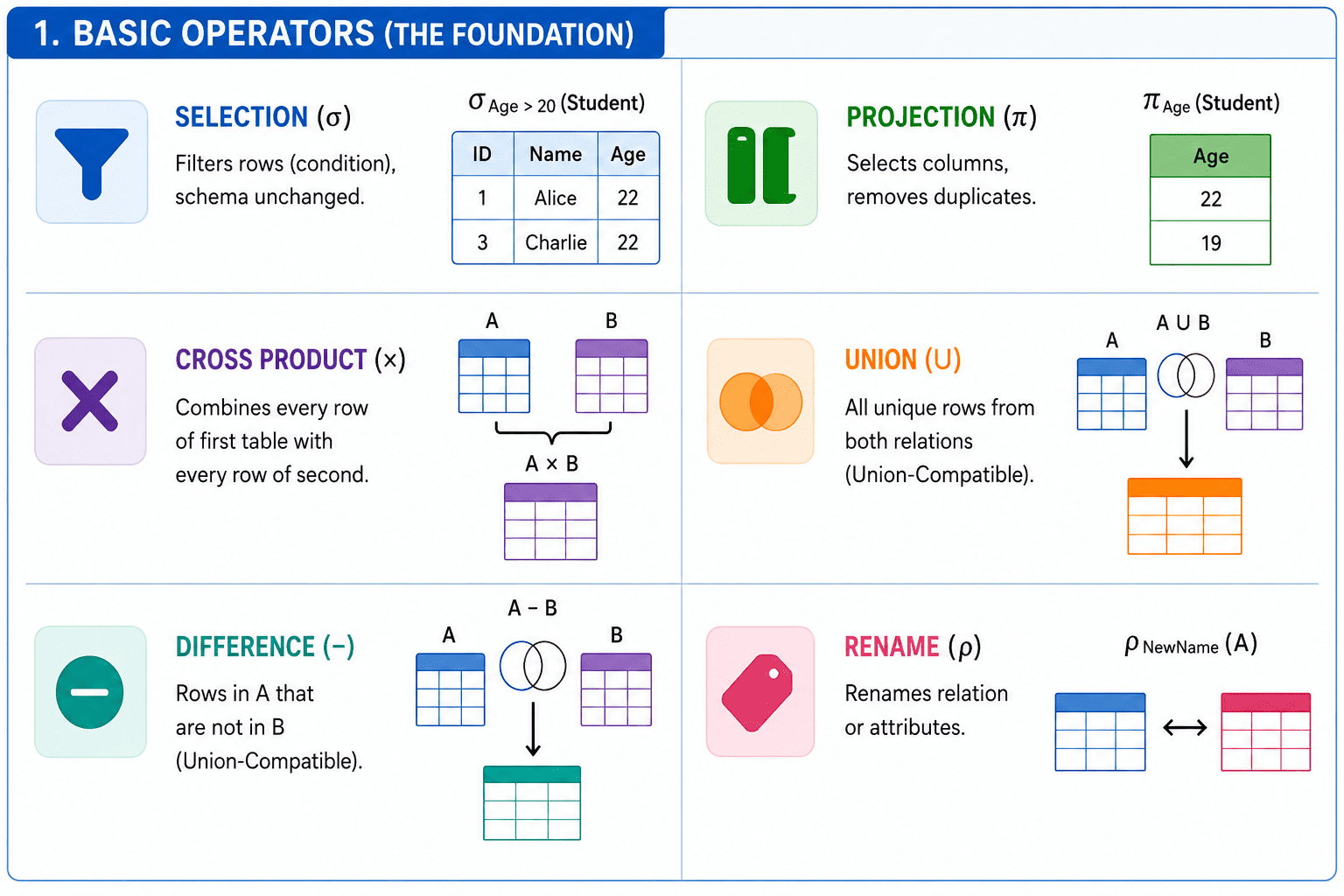
- Selection (σ): Filters ROWS from a relation based on a specified condition. It returns between 0 and m rows, and leaves the schema (columns) completely unchanged.
- Projection (π): Extracts specific COLUMNS from a relation. Crucially, in formal relational algebra, Projection automatically removes duplicate rows from the result!
Visualizing Selection and Projection
| ID | Name | Age |
|---|---|---|
| 1 | Alice | 22 |
| 2 | Bob | 19 |
| 3 | Charlie | 22 |
| ID | Name | Age |
|---|---|---|
| 1 | Alice | 22 |
| 3 | Charlie | 22 |
| Age |
|---|
| 22 |
| 19 |
π_{Age} result only has TWO rows, even though three students exist. Relational Algebra operates on mathematical SETS, meaning duplicates are automatically eliminated! In SQL, SELECT Age keeps duplicates unless you explicitly write SELECT DISTINCT Age.- Cross Product (×): Generates the Cartesian product of two relations, combining EVERY row of the first table with EVERY row of the second. If Table A has 'm' rows and Table B has 'r' rows, it returns 'm × r' rows.
- Union (∪) & Set Difference (-): Union combines all unique rows from both relations. Difference extracts rows in A that are not in B. Both require the tables to be **Union-Compatible** (same number of columns, with matching data types in the exact same order).
- Rename (ρ): Renames a relation or its attributes without modifying the underlying data.
Extended Operators (Shorthands)
Extended operators don't add any new mathematical power; they are simply convenient shorthands built out of the basic operators.
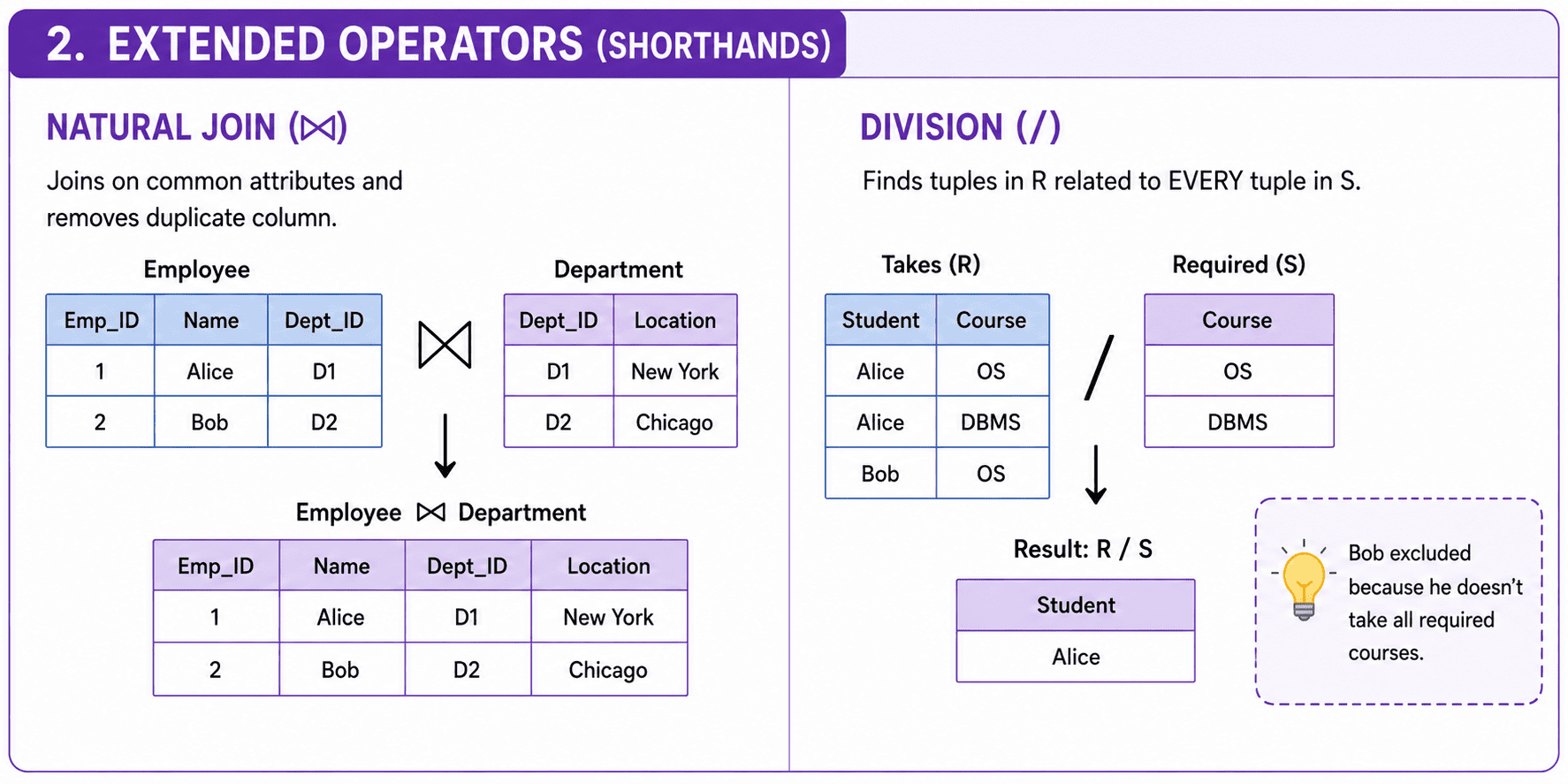
Natural Join (⨝)
The Natural Join joins two relations on their common attributes. It automatically equates the shared columns and removes the duplicate column from the final output.
| Emp_ID | Name | Dept_ID |
|---|---|---|
| 1 | Alice | D1 |
| 2 | Bob | D2 |
| Dept_ID | Location |
|---|---|
| D1 | New York |
| D2 | Chicago |
| Emp_ID | Name | Dept_ID | Location |
|---|---|---|---|
| 1 | Alice | D1 | New York |
| 2 | Bob | D2 | Chicago |
The Division Operator (/)
The Division operator (R / S) is specifically designed for queries containing the words 'for all' or 'every'. It finds tuples in relation R that are associated with *every* tuple in relation S.
| Student | Course |
|---|---|
| Alice | OS |
| Alice | DBMS |
| Bob | OS |
| Course |
|---|
| OS |
| DBMS |
| Student |
|---|
| Alice |
Why did Bob get excluded? Because Bob only takes 'OS'. Alice takes BOTH 'OS' and 'DBMS', so she successfully divided the required courses!
Operator Summary & Cardinality Bounds
| Operator | Symbol | Row-Set Cardinality Bounds |
|---|---|---|
| Selection | σ | Returns 0 to m rows; schema unchanged. |
| Projection | π | Returns 1 to m rows (removes duplicates); modifies schema. |
| Cross Product | × | Returns m × r rows; merges schemas. |
| Union | ∪ | Max rows: m + r; Min rows: max(m, r). |
| Difference | - | Max rows: m; Min rows: m - r. |
| Natural Join | ⨝ | Max rows: m × r; Min rows: 0. |
| Division | / | Returns at least 0 rows; schema is R - S. |
Sort the Concepts
Sort the operations into Basic vs Extended operators: