

What is Network Topology?
Network topology is essentially the arrangement of devices and connections in a computer network. Think of it as a blueprint that shows exactly how all the computers, servers, and cables are linked together to let data flow smoothly.
Choosing the right layout is a big deal because it directly impacts the performance, reliability, security, and overall cost of the network.
Physical vs Logical Topology
- Physical Topology: This is the actual physical layout of the cables, computers, and other network devices. It is what you can see and touch.
- Logical Topology: This describes how data actually moves across the network from one device to another, regardless of how the cables are physically arranged.
The topologies we are going to explore below like Star, Bus, and Mesh are all examples of physical topologies.
1. Point to Point Topology
This is the absolute simplest way to connect devices. In a point to point setup, there is a dedicated link directly connecting just two nodes. One acts as the sender and the other as the receiver.
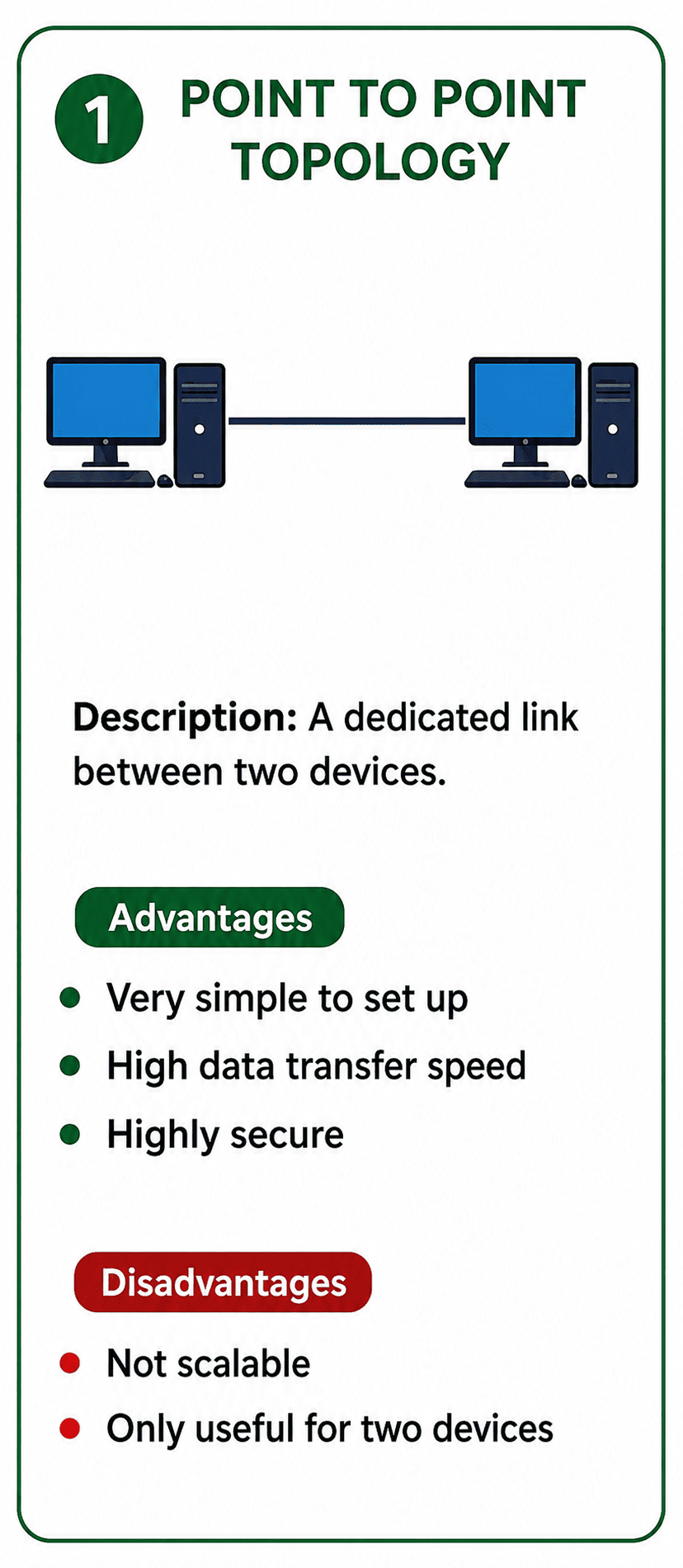
A direct, dedicated connection between exactly two nodes.
- Advantages: It is incredibly simple to set up and offers very high data transfer speeds since the link is not shared. It is also highly secure.
- Disadvantages: It simply does not scale well. It is only useful for connecting exactly two devices, making it completely unsuitable for building larger networks.
2. Mesh Topology
In a mesh topology, every single device in the network has a dedicated, direct connection to every other device. If you have 6 computers, each computer will have 5 separate cables connecting it to the others!
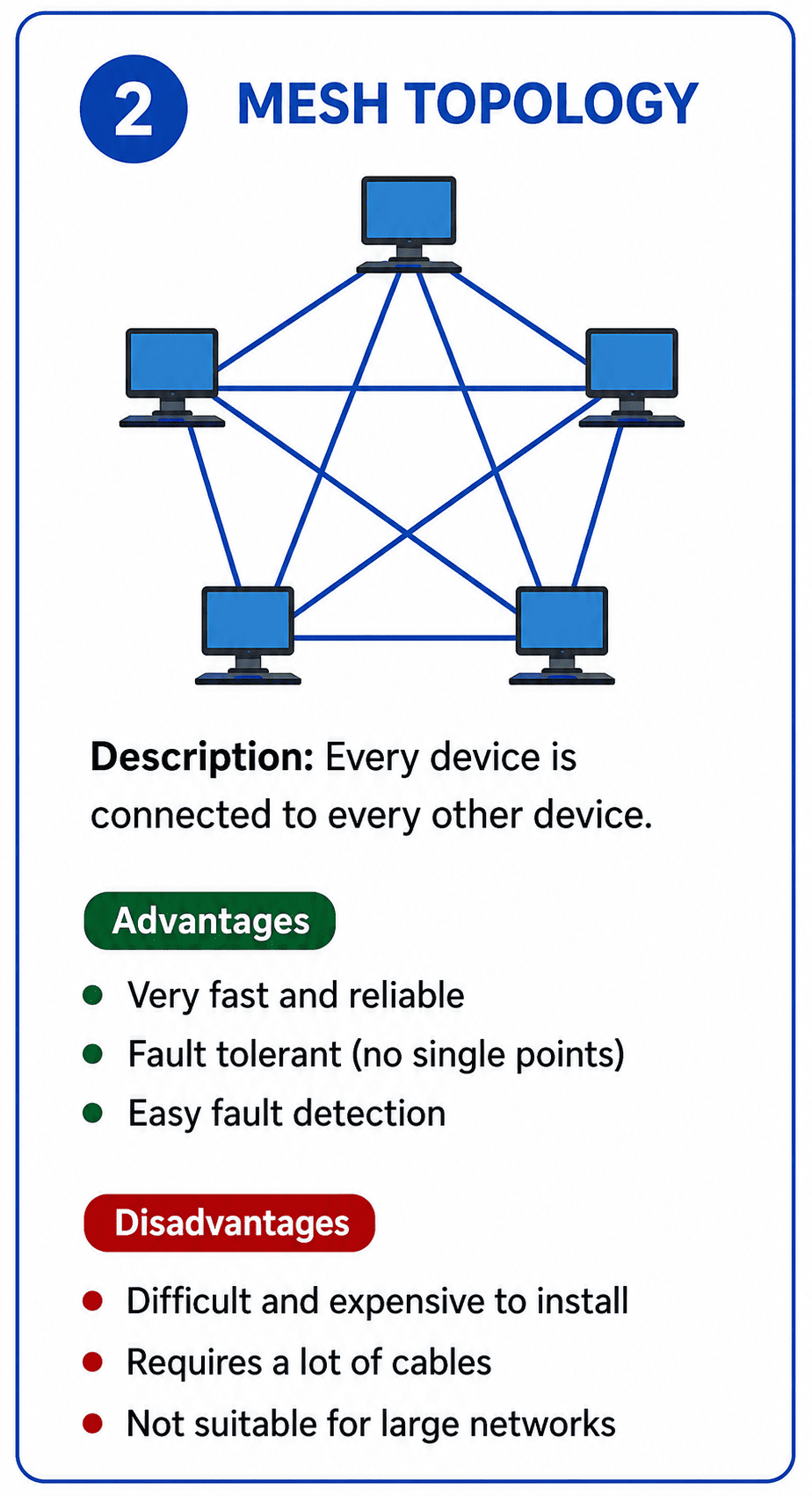
Every node is directly connected to every other node in the network.
- Advantages: Communication is extremely fast and reliable. If one cable breaks, data can easily take another path. Finding faults is also straightforward.
- Disadvantages: It is very difficult and expensive to install. Because you need so many cables and network ports, it quickly becomes unmanageable as you add more devices.
3. Star Topology
Star topology is one of the most popular setups. Here, all devices connect to a single central device, usually a hub or a switch. The devices do not connect directly to each other; all data must pass through the central hub.
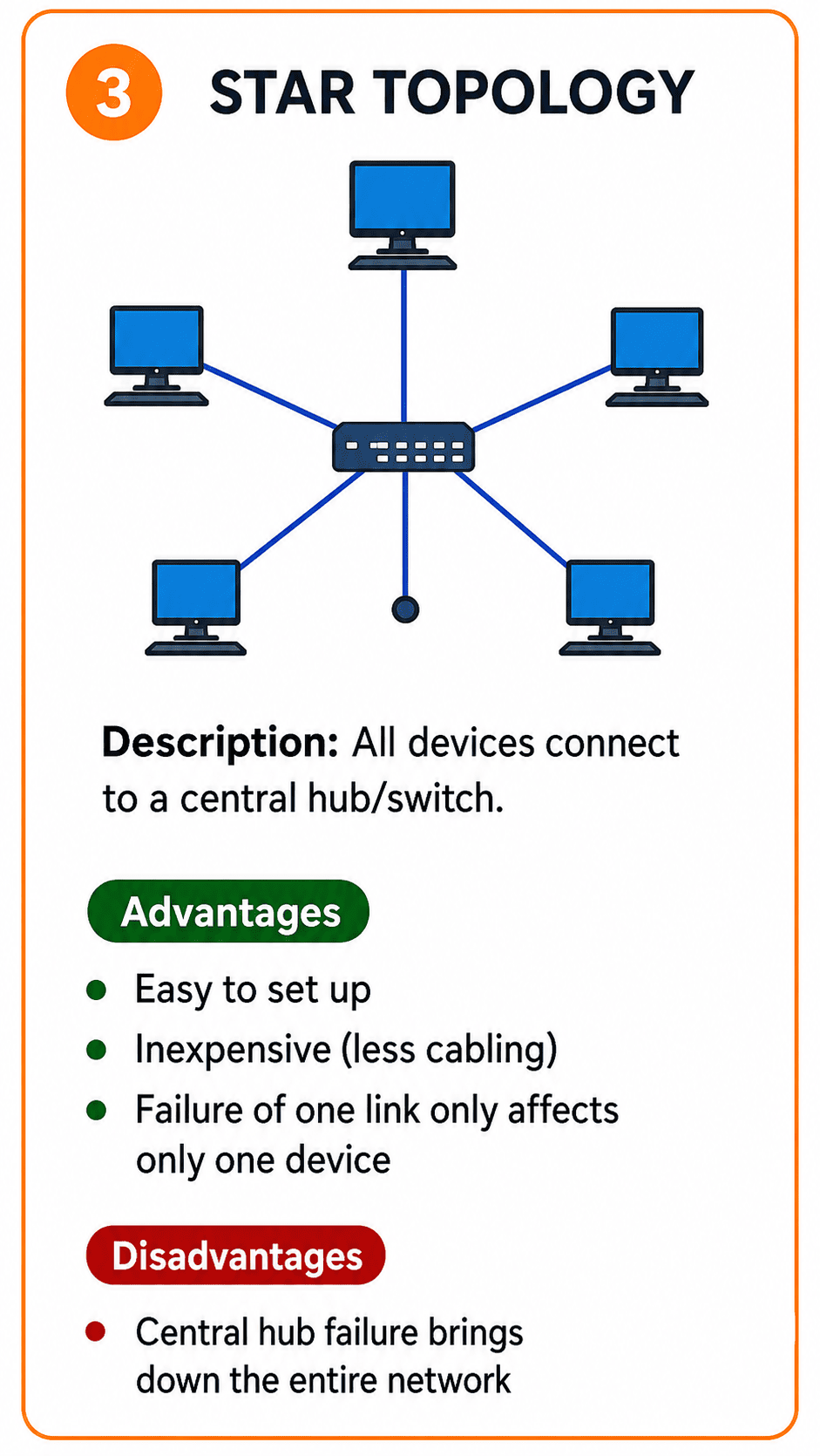
All devices connect to a central hub or switch.
- Advantages: It is very easy to set up and cheap since each device only needs one cable. If one cable fails, only that specific device loses connection while the rest of the network stays online.
- Disadvantages: The entire network relies heavily on the central hub. If the central hub breaks down, the whole network crashes instantly.
4. Bus Topology
Imagine a single, long main cable running down the middle of a room, with all computers tapping into it. That is a bus topology. This main cable is known as the backbone.
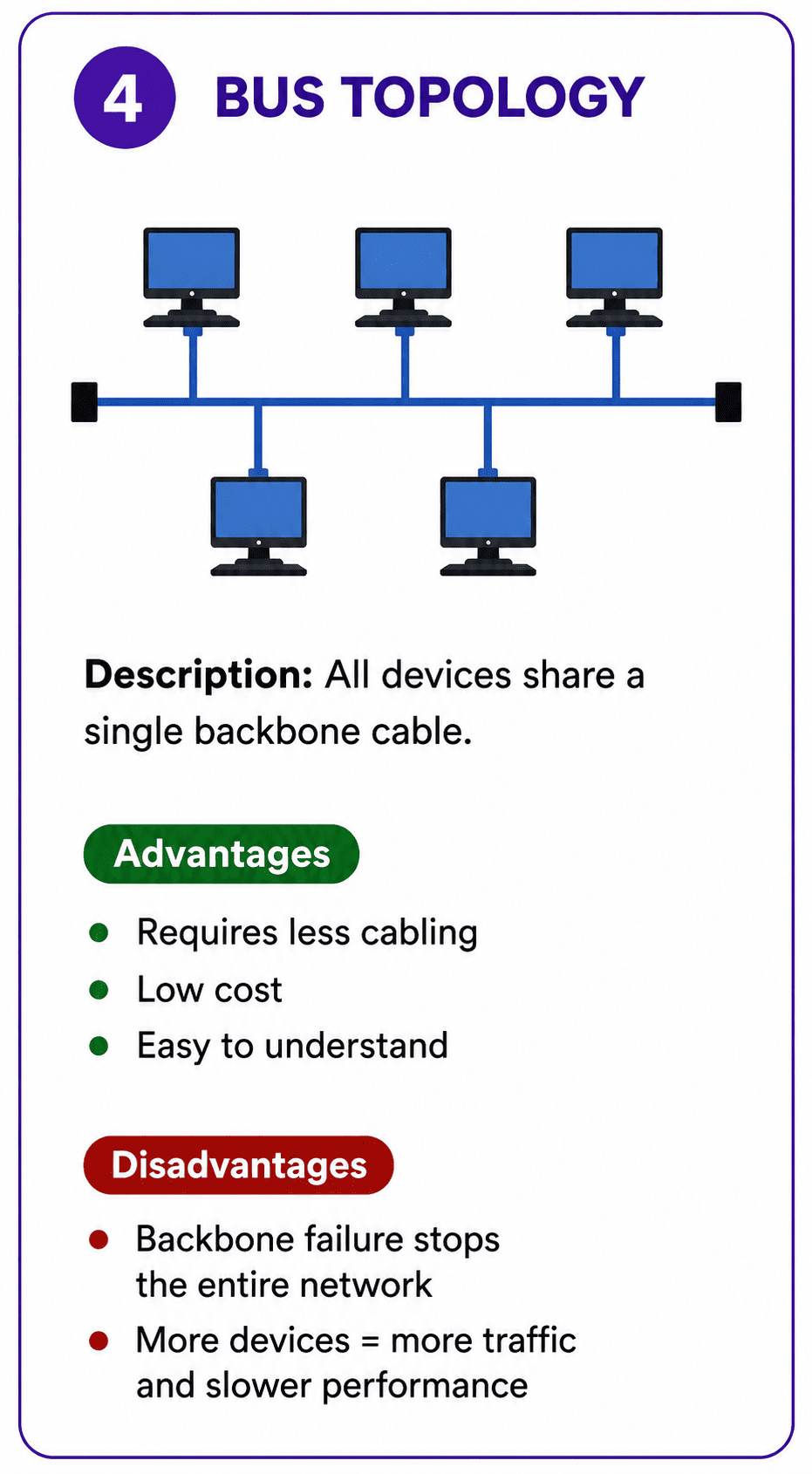
All devices share a single communication backbone cable.
- Advantages: It requires very little cabling compared to other layouts, making it quite affordable and easy to understand for small networks.
- Disadvantages: If the main backbone cable gets cut, the entire network goes down. Also, as you add more devices, network traffic increases significantly and slows everything down.
5. Ring Topology
In a ring layout, each device is connected to exactly two neighboring devices, forming a closed circle. Data travels around the ring in one direction, passing through each computer until it reaches its destination.
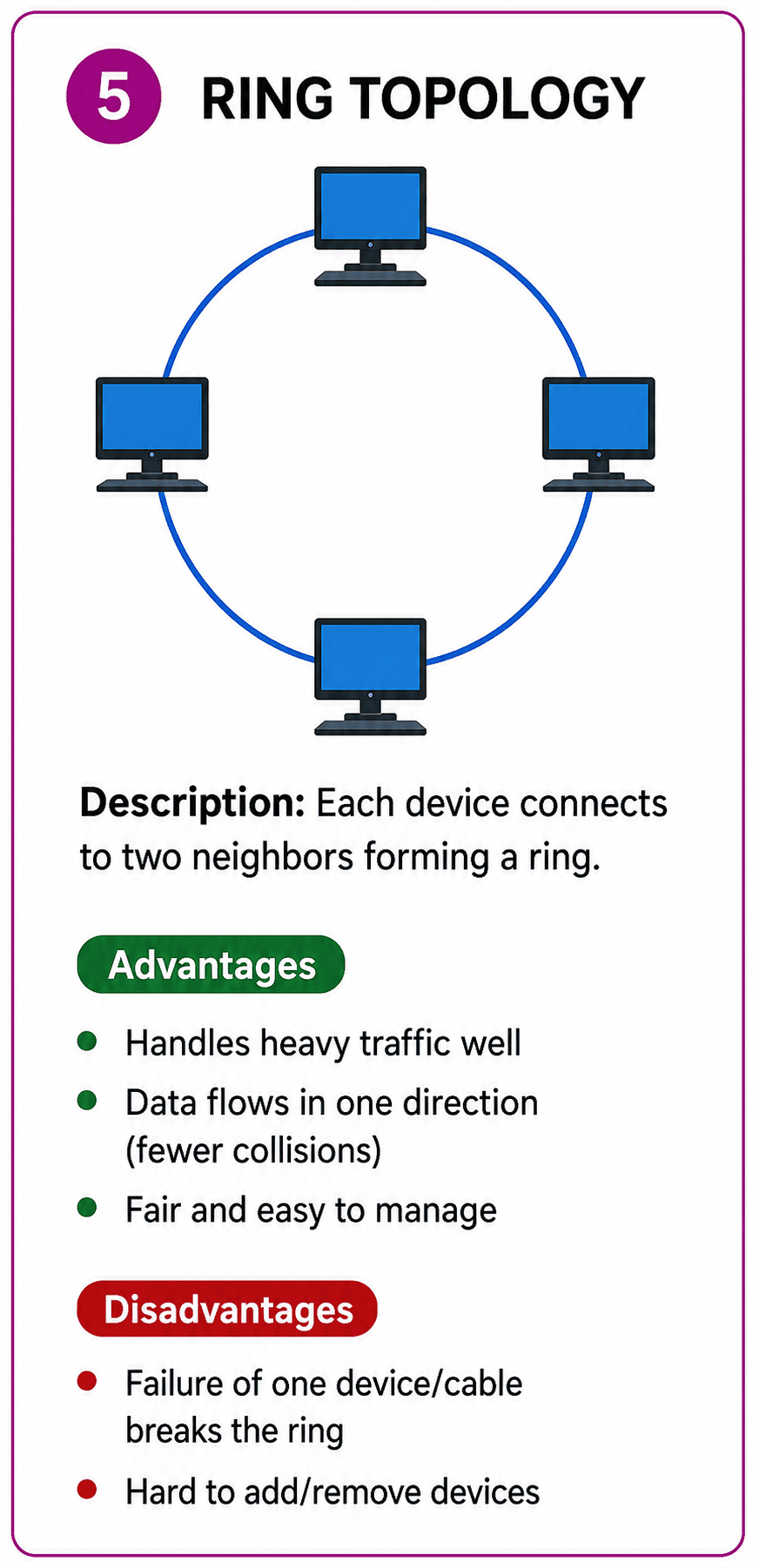
Devices are connected in a closed loop, with data travelling in one direction.
- Advantages: It manages heavy traffic well because data flows in a specific direction, which minimizes collisions. It is also relatively inexpensive to install.
- Disadvantages: If just one device or cable fails, the ring is broken and the entire network stops working. Adding or removing devices is also tricky because you have to break the ring temporarily.
6. Tree Topology
Tree topology combines the characteristics of star and bus topologies. It features a hierarchical structure, much like a family tree. It usually has a main central hub at the top, which connects to secondary hubs, which then connect to the individual computers.
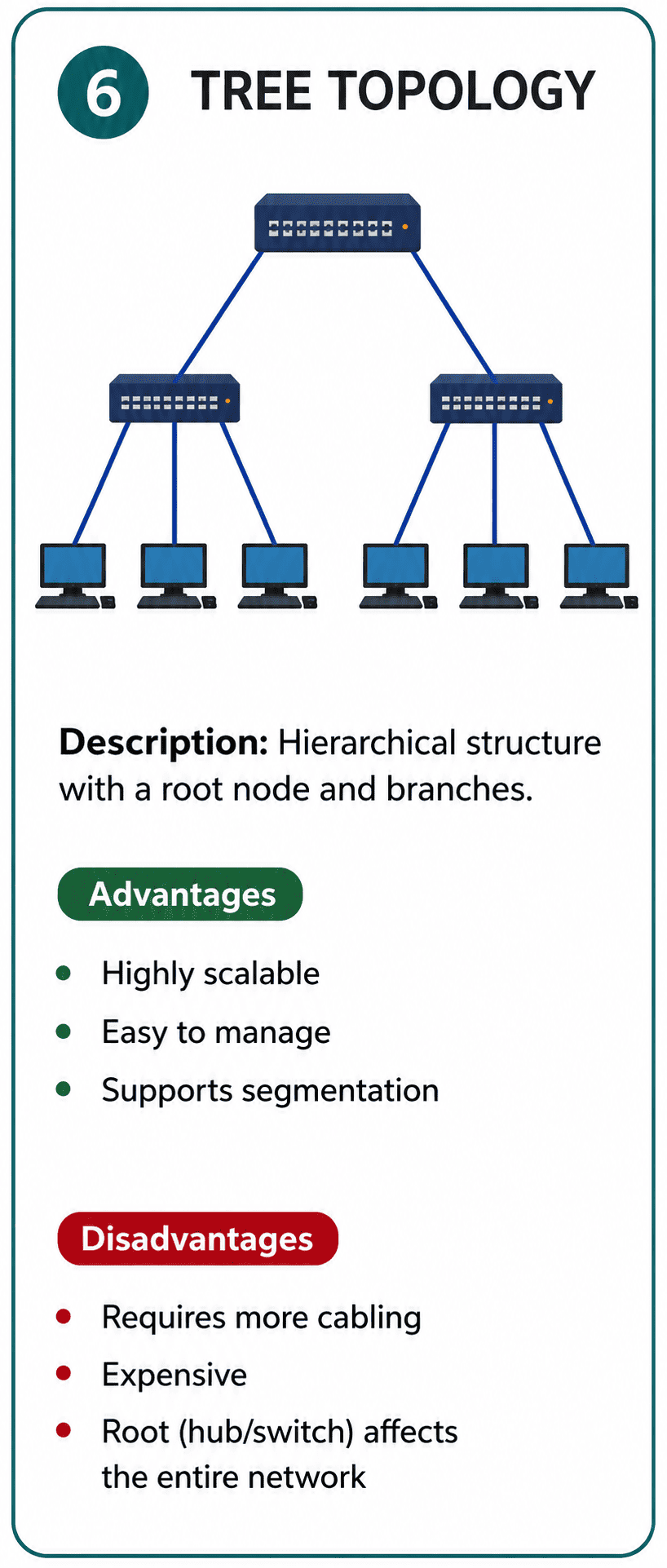
A hierarchical structure combining star and bus topologies.
- Advantages: It is highly scalable. You can easily group devices and add new branches to the network without much hassle.
- Disadvantages: It requires a lot of cabling and can get expensive. Similar to the star topology, if the main central hub at the very top fails, the whole system goes down.
7. Hybrid Topology
As the name suggests, a hybrid topology is a mixture of two or more different topologies. For example, a large university might use a star topology inside each building, but connect all the buildings together using a ring topology.
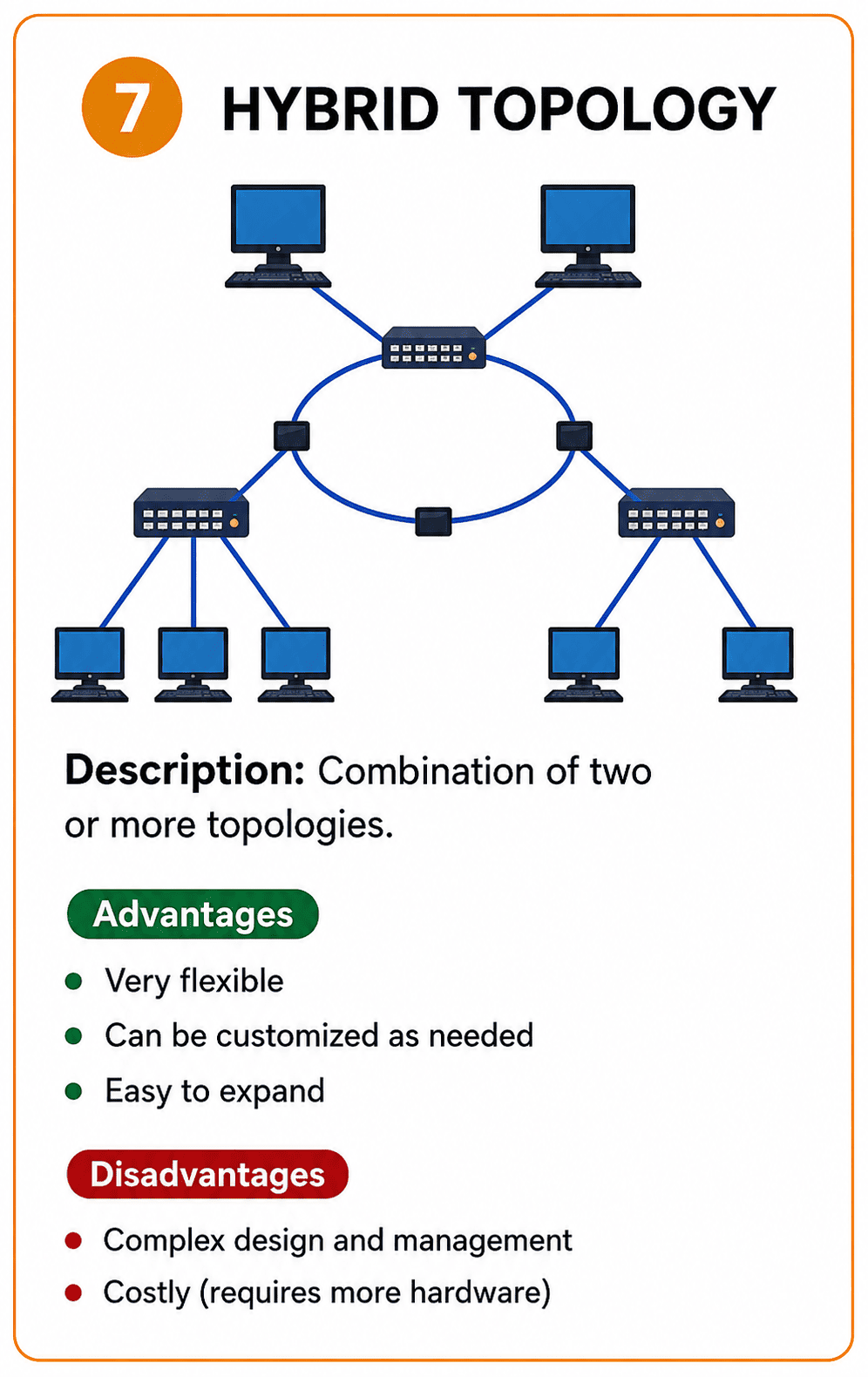
A custom combination of multiple different topologies.
- Advantages: It is incredibly flexible and can be custom tailored to fit the exact needs of a large organization. Expanding the network is very straightforward.
- Disadvantages: Designing and managing a hybrid network is very complex. The networking hardware required to connect different topologies is also quite expensive.
Why is Network Topology Important?
- Performance Optimization: Picking the right layout ensures data travels efficiently and prevents network traffic jams.
- Reliability and Backups: Some layouts like mesh provide alternative paths for data, acting as a backup if one cable breaks.
- Scalability: A well planned topology makes it much easier to add new computers or offices in the future without completely rebuilding the network.
- Easier Troubleshooting: When an internet connection drops, a good topology helps network engineers quickly figure out exactly where the problem is located.
Sort the Concepts
Let's review the advantages and disadvantages! Sort these traits into the correct network topology bucket.