

System Calls in Operating System
User programs cannot directly interact with hardware or core operating system components. Whenever a program needs to perform tasks such as reading a file, creating a process, or accessing a device, it must request the operating system to handle it. This request is made using a system call.
What are System Calls?
A system call acts as a bridge between user applications and the operating system. It provides a controlled way for programs to request services from the OS kernel. In simple terms, it is a method through which a program asks the operating system to perform tasks that require special privileges.
User Mode and Kernel Mode
A computer operates in two main modes:
- User Mode: This is where regular applications run. In this mode, programs have limited access and cannot directly interact with hardware or protected memory.
- Kernel Mode: This is where the operating system executes. It has complete access to hardware and system resources.
Switching Between Modes
The processor changes from user mode to kernel mode when a program needs OS-level services. This typically happens through a system call or an interrupt.
When a program requests a service:
- The processor switches to kernel mode
- The operating system performs the required task
- The processor returns to user mode
This mechanism ensures system security, as direct hardware access by user programs is restricted.
How a System Call Works
When a system call is made, a sequence of steps is followed:
- Preparation: The program prepares the required data and stores it in registers or memory.
- Trap Instruction: A special instruction is executed to notify the processor that OS assistance is needed.
- Mode Switch: The processor switches to kernel mode and saves the current program state.
- System Call Handling: The OS identifies the requested service using a system call number.
- Execution: The kernel performs the requested operation, such as file handling or memory allocation.
- Return: The system returns the result, restores the program state, and switches back to user mode.
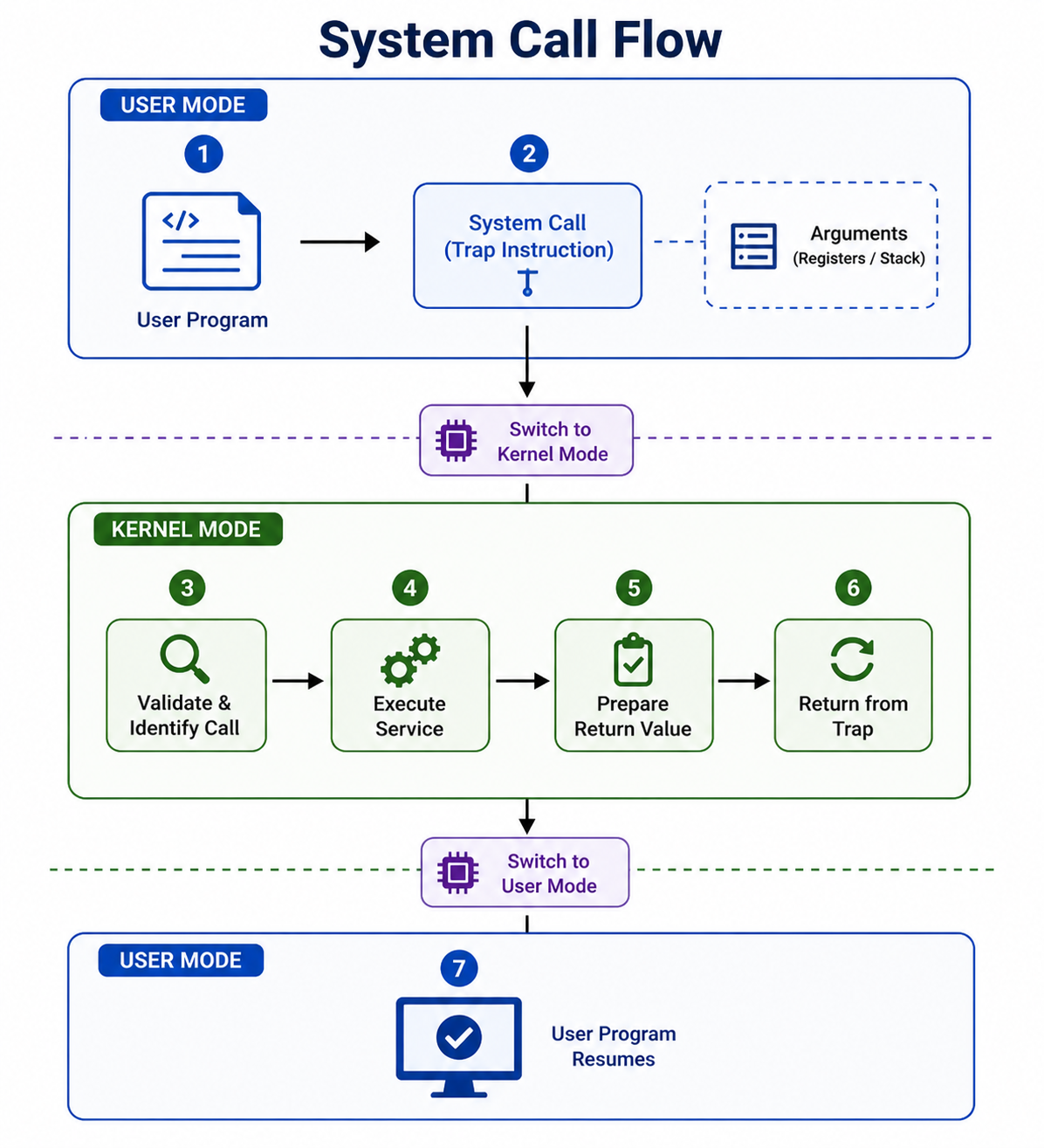
The execution flow and mode switching of a system call
Example of a System Call
Suppose a program wants to read data from a file:
- The program calls a function like read()
- It provides parameters such as file descriptor, buffer, and number of bytes
- A trap instruction transfers control to the kernel
- The OS processes the request
- The result is returned to the program
Types of System Calls
System calls can be grouped into several categories based on their functionality:
- 1. Process Control: Create or terminate processes, execute programs, manage attributes, handle synchronization, and allocate memory.
- 2. File Management: Create or delete files, open and close files, read, write, reposition data, and modify file attributes.
- 3. Device Management: Request or release devices, read/write device data, modify device settings, and attach/detach devices.
- 4. Information Maintenance: Get or set system time, access system data like memory details, manage process-related information, and support debugging.
- 5. Communication: Create communication channels, send and receive messages, and use shared memory for fast data exchange.
- 6. Protection: Set or retrieve permissions, change file ownership, and manage access rights.
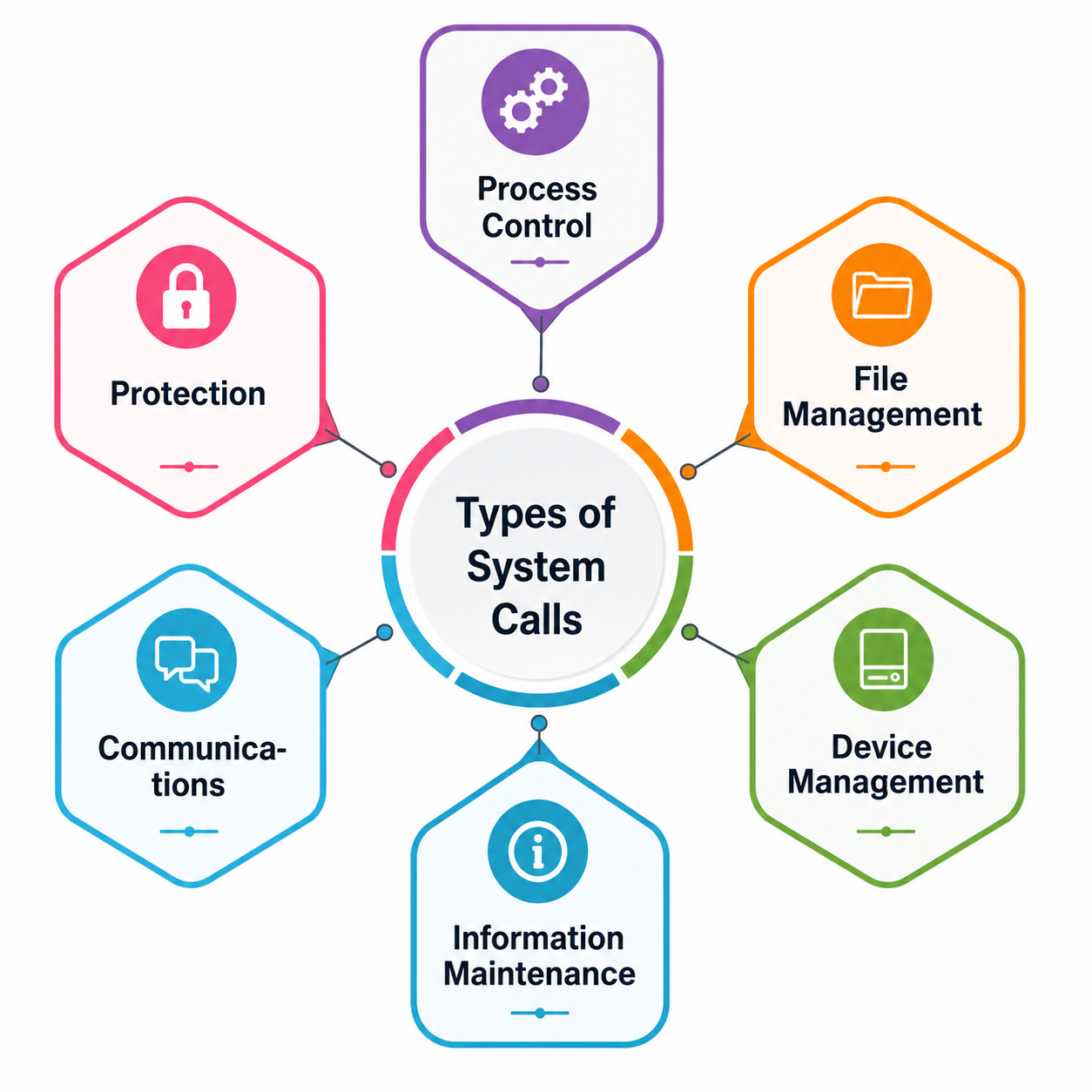
Different categories of system calls in an operating system
Common System Calls
| System Call | Description |
|---|---|
| open() | Opens a file and returns a file descriptor |
| read() | Reads data from a file |
| write() | Writes data to a file or device |
| close() | Closes a file and releases resources |
| wait() | Pauses a process until another process finishes |
| fork() | Creates a new process |
| exit() | Terminates a process |
| kill() | Sends signals to control or terminate a process |