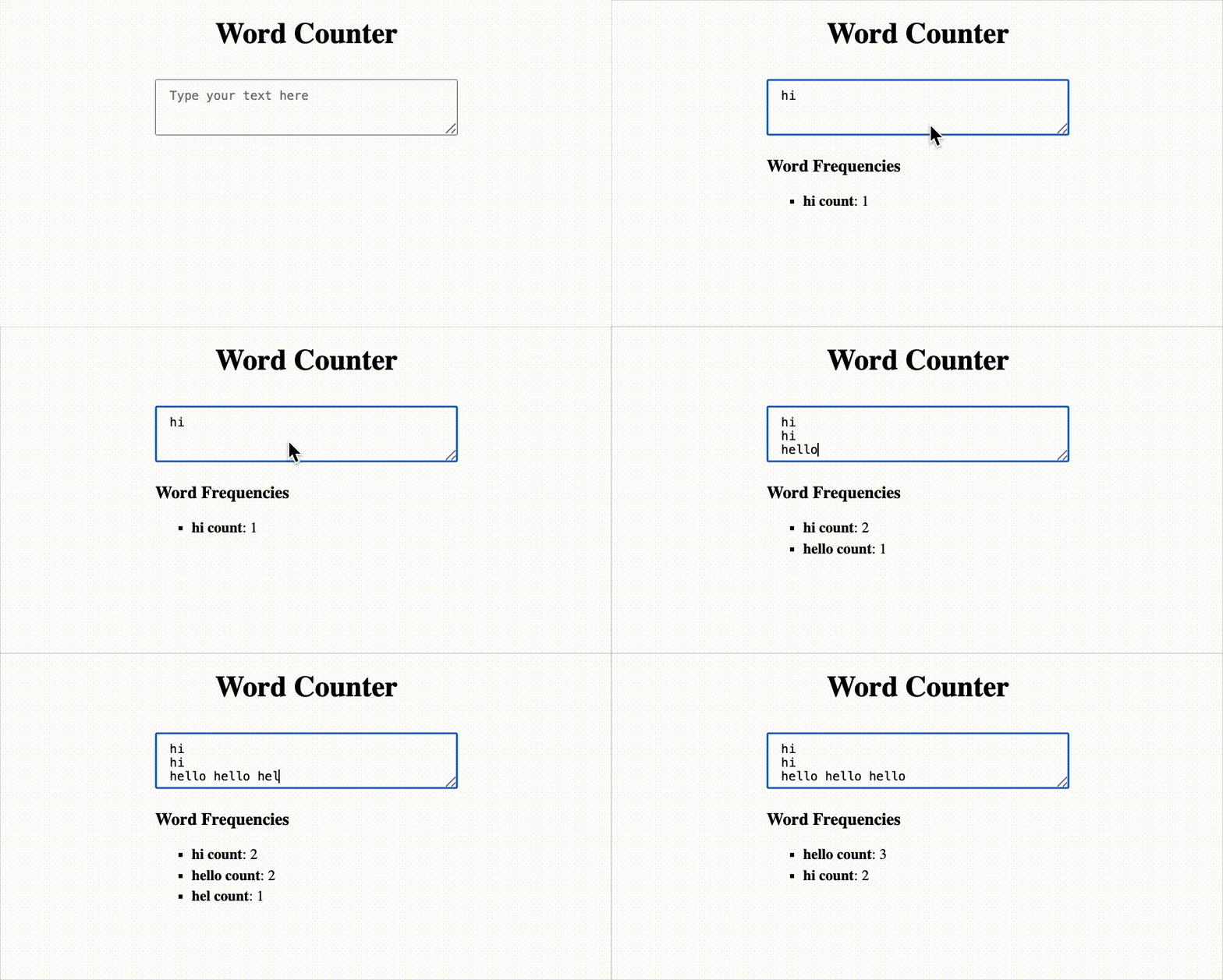
Build a Word Frequency Counter that dynamically analyzes user input text and displays how often each word appears. The counter is case-insensitive, ignores special characters, and sorts the output in descending order of frequency.
Things to do
- Create a
textarea where users can type or paste any text.
- Every time the text changes, update the word count list in real-time.
- Case-insensitive word matching
- Ignore symbols, numbers, punctuation, and extra white spaces.
- Sorts words by their frequency (most used on top)
- Each word should be shown with the number of times it occurs (e.g.,
hello: 3 Times).
Example
Input:
React, React Testing NamasteDev!
Output:
react count: 2
namastedev count: 1
testing count: 1
How it Works
- User types into the textarea
- On each character change:
- Text is cleaned: punctuation is removed, all words are lowercased.
- Words are split and counted.
- Results are sorted by frequency and displayed as a list.
Testing Instructions
Please use the following data-testid attributes in your React component:
textarea → for the textarea inputresult-list → for the textarea inputword-{word} → for each word e.g "word-react"
Reference UI