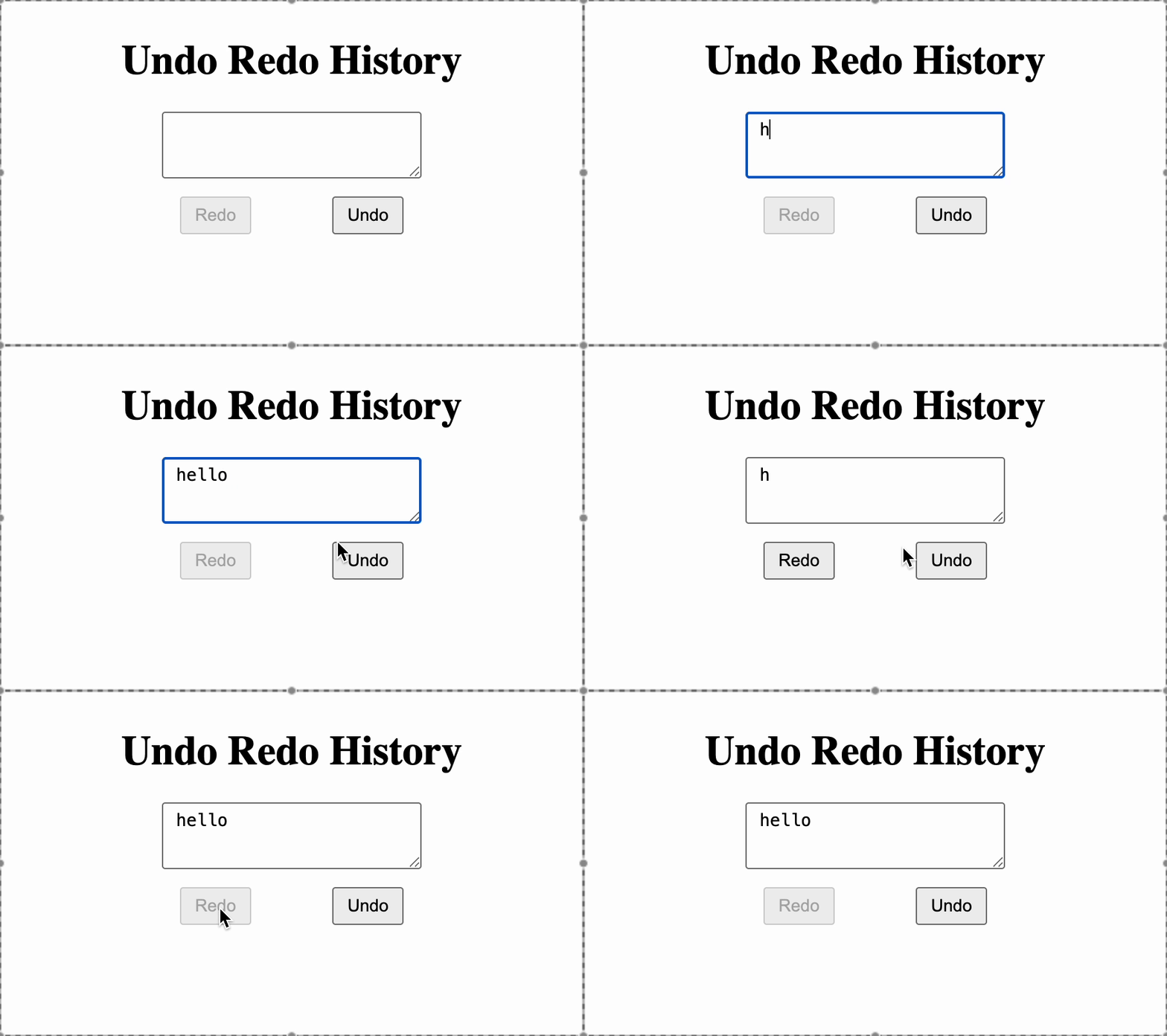
Build a simple text editor with Undo and Redo functionality that allows users to navigate through their text editing history.
Every change in the textarea should be saved as a history step, and users should be able to undo or redo changes.
Things to do
- Create a
textarea where the user can type.
- Maintain a history array to store all versions of the text.
- Keep track of the current position in history
- On each change:
- Remove any "future" states if the user typed after undoing.
- Add the new text to the history.
- A Undo button: Goes one step backward in history.
- A Redo button: Goes one step forward in history.
- Disable buttons when they cannot be used:
- Disable Undo when at the first step in history.
- Disable Redo when at the latest step in history.
Example
history = ["", "h", "he", "hel", "hell", "hello"]
currentStep = 5
Actions
- If Click Undo - "hell"(currentStep = 4)
- If Click Undo again - "hel"(currentStep = 3)
- if Click Redo - "hell(currentStep = 4)
Testing Instructions
Please use the following data-testid attributes in your React component:
textarea → for the textarea inputundo-button → for the Undo buttonredo-button → for the Redo button
Reference UI