

Toggle password
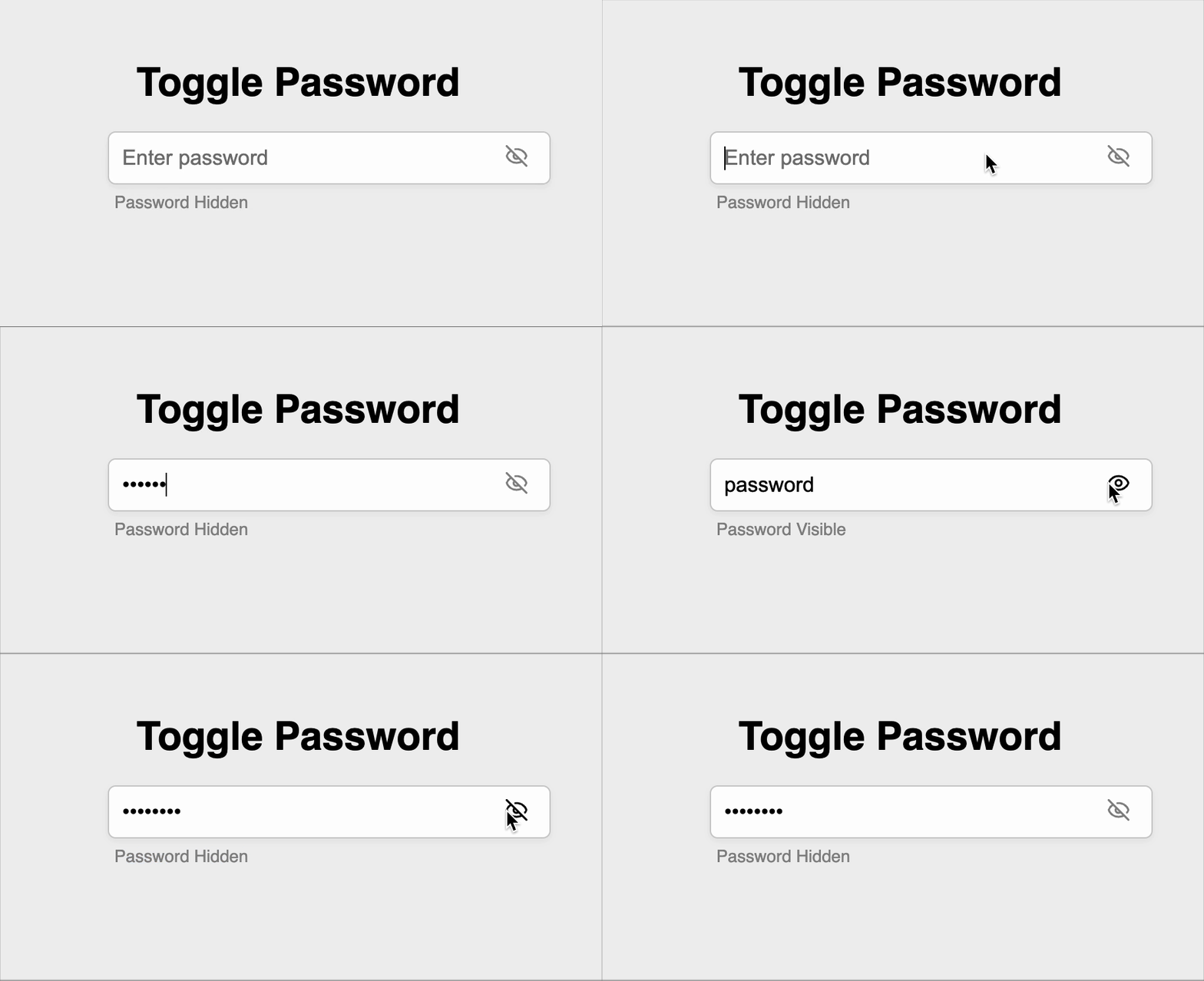
Create a react component that allows users to input a password. It should toggle password visibility in a secure and accessible way along with a label indicating the visibility status. It should have live toggling using an eye icon.
Requirements
-
The input must:
- Securely accept user-entered text.
- Have a placeholder: "Enter password".
- Be focusable and editable at all times.
- Always show the placeholder text when empty.
-
By default:
- Password should be hidden (masked).
-
Visibility toggle icon:
- Uses
lucide-reacticons. - Shows
Eyeicon when the password is hidden. - Shows
EyeOfficon when the password is visible.
- Uses
-
On clicking the icon:
- Toggle the visibility of the password between masked and unmasked.
- Instantly update both:
- The icon (Eye ↔ EyeOff).
- The label (described below).
-
A label must appear below the input field showing:
- "Password Hidden" when the password is masked.
- "Password Visible" when the password is unmasked.
Data Test IDs (Required for Testing)
data-testid="password-input": The password input fielddata-testid="toggle-icon": Element wrapping the eye icon used to toggle password visibilitydata-testid="visibility-label": Text label showing whether password is visible or hidden
Reference UI
Companies:
Solve Similar questions 🔥
Want to upskill? Explore our courses!

Namaste AI
Learn to build modern AI applications with real-world projects.

Namaste DSA
Master DSA from scratch with numerous problems, and expert guidance.

Namaste React
Wanna dive deep into React and become Frontend Expert? Learn with me now!

Namaste Frontend System Design
The most comprehensive and detailed course for frontend system design.

Namaste Node.js
Wanna dive deep into Node.js? Enroll into `Namaste Node.js` now!