

Grid Lights
Requirements:
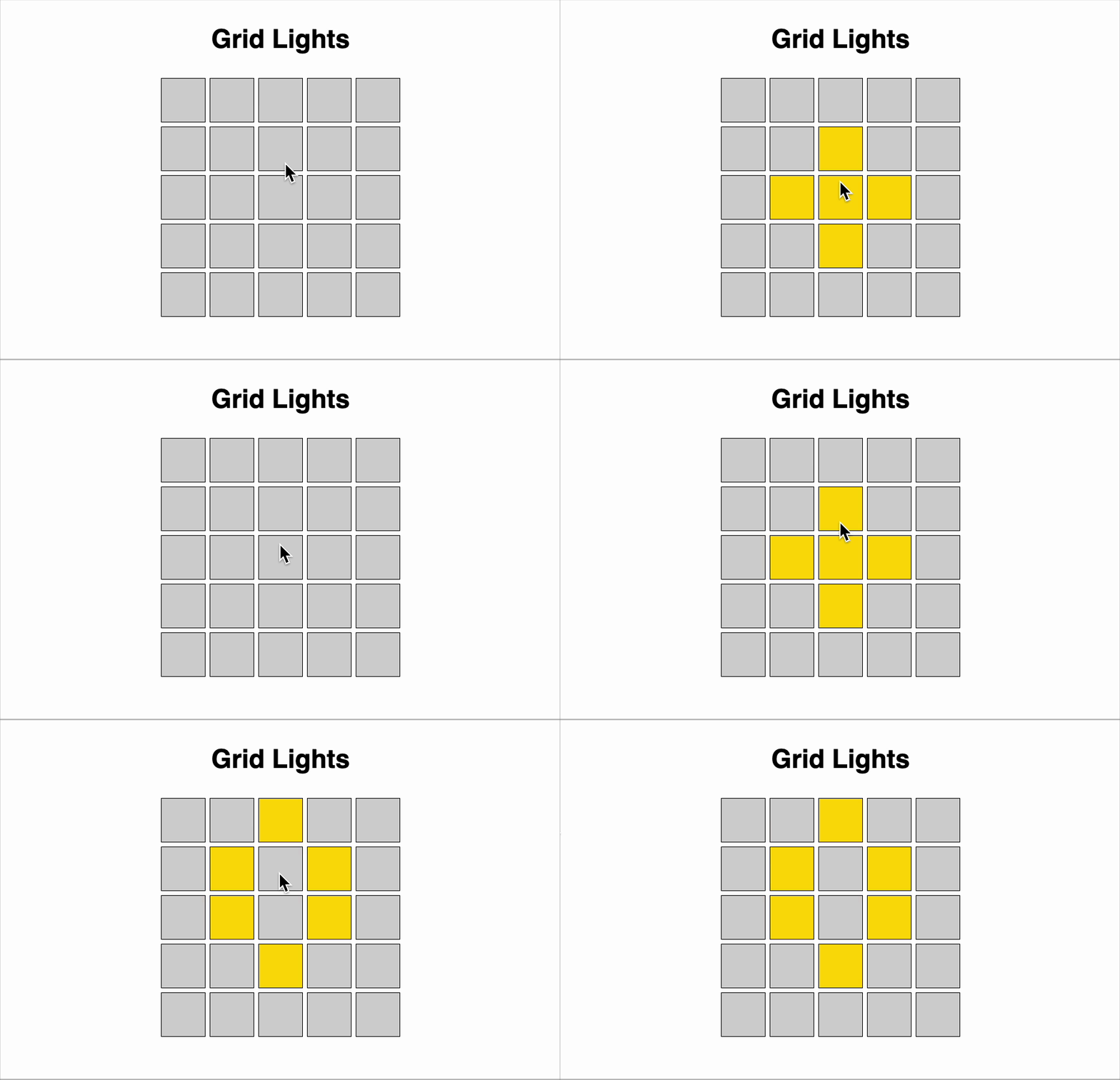
You are tasked with simulating a grid of lights that can be toggled on or off. The grid is initially in the "off" state. Each light in the grid can be toggled by clicking on it. When a light is toggled, the light itself and all adjacent lights (horizontally and vertically) also toggle their states.
The grid is composed of n x n cells, and each cell represents a light that can either be on (1) or off (0). The grid starts with all lights in the off state.
You need to implement a solution that allows toggling the lights and keeps track of the current state of the grid. Make sure to use inline css.
Component Structure:
- A single functional component named
GridLights. - Grid size
nshould be passed as a prop (default to 5 if not provided).
State Management:
- Use
useStateto manage the grid state. - Maintain a 2D array to represent the current on/off state of each light.
UI Behavior:
- Display the grid using simple square cells.
- A light in the "on" state should be visually different and have background color "gold".
- A light in the "off" state should have a neutral background color "lightgray".
- Clicking on a cell toggles the state of:
- The clicked cell
- The top neighbor (if it exists)
- The bottom neighbor (if it exists)
- The left neighbor (if it exists)
- The right neighbor (if it exists)
- Each cell should have role="cell"
User Interaction:
- Clicking on a cell updates the grid immediately.
- UI should be responsive and update in real-time based on state.
Reference UI
Solve Similar questions 🔥
Want to upskill? Explore our courses!

Namaste AI
Learn to build modern AI applications with real-world projects.

Namaste DSA
Master DSA from scratch with numerous problems, and expert guidance.

Namaste React
Wanna dive deep into React and become Frontend Expert? Learn with me now!

Namaste Frontend System Design
The most comprehensive and detailed course for frontend system design.

Namaste Node.js
Wanna dive deep into Node.js? Enroll into `Namaste Node.js` now!