Get Weekday
React.js
easy
20 mins
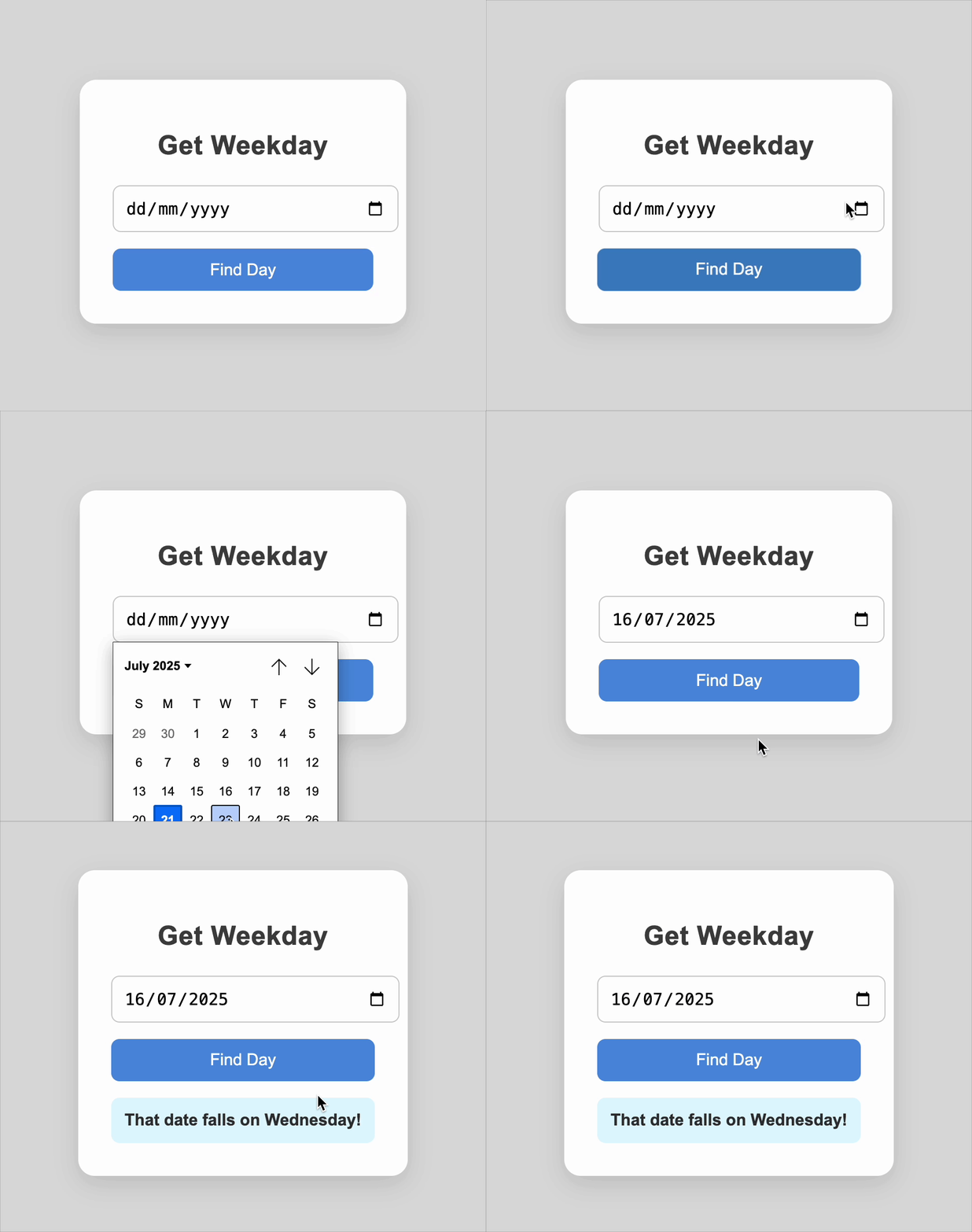
Create a responsive Get Weekday component that displays the corresponding day of the week when a user selects or enters a valid date.
Requirements
- A heading with text
Get Weekday. - The interface must include:
- An input field with a browser datepicker (
type="date") - A button labeled
"Find Day" - A display area that will show the resulting day of the week
- An input field with a browser datepicker (
- Behavior on clicking the Find Day button:
- If the date is valid:
- Display the result in the format: "That date falls on Monday."
- If the date is valid:
Edge Cases & Constraints
- Dates from the past and future must work correctly
- The datepicker must open when clicking the input
- The displayed day must update immediately after clicking Find Day
- Leap years and different time zones must not cause errors
Data Test IDs (Required for Testing):
data-testid="date-input"— Input field for selecting the datedata-testid="find-day-btn"— Button to trigger the day lookupdata-testid="result"— Display area for the resulting day of the week
Reference UI

Preview what you need to build
Companies:
oracle
shopify
amazon
Solve Similar questions 🔥
Want to upskill? Explore our courses!
Namaste DSA
Master DSA from scratch with numerous problems, and expert guidance.
Namaste React
Wanna dive deep into React and become Frontend Expert? Learn with me now!
Namaste Frontend System Design
The most comprehensive and detailed course for frontend system design.
Namaste Node.js
Wanna dive deep into Node.js? Enroll into `Namaste Node.js` now!