

Frequently Asked Questions
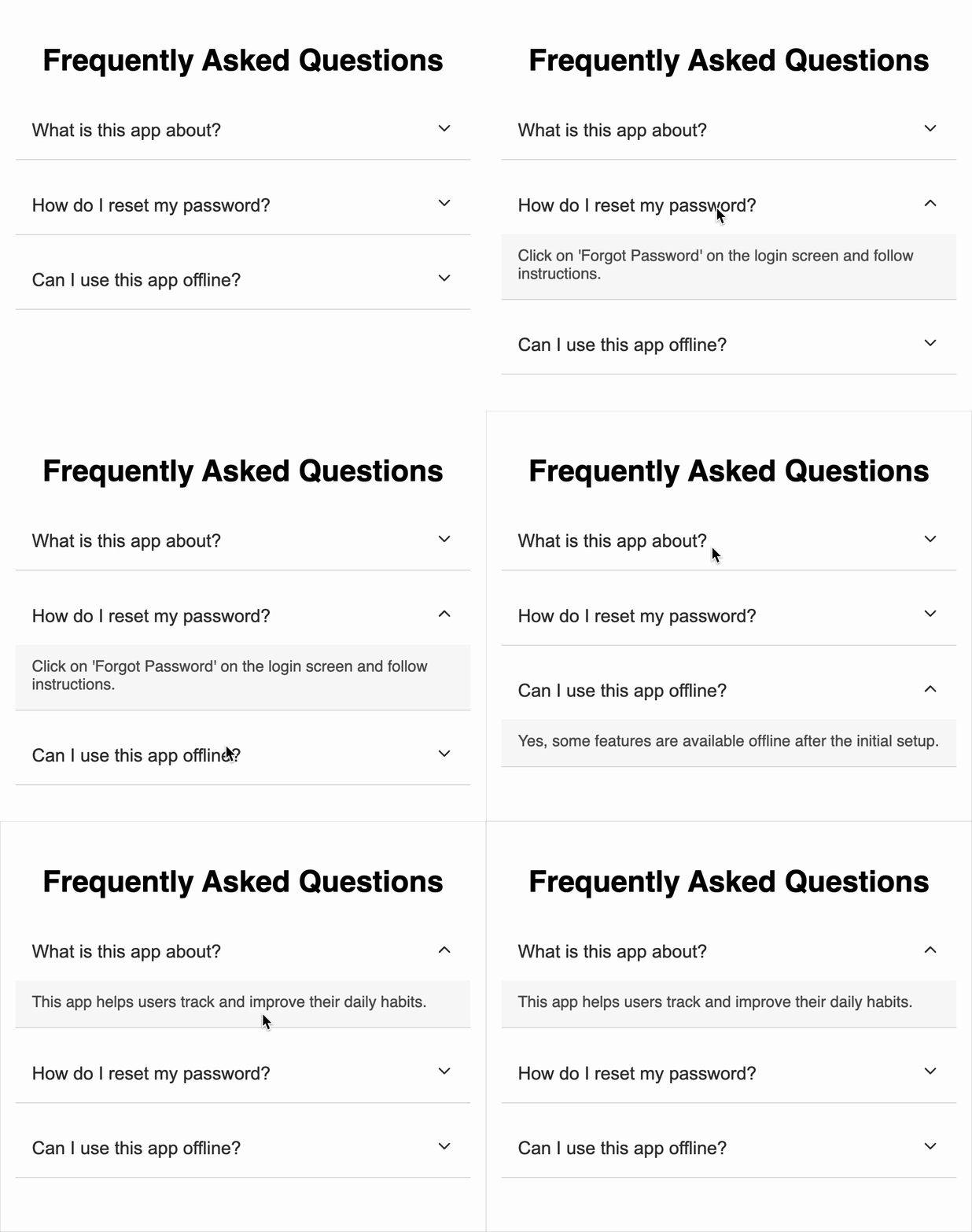
Create a React component that displays a list of frequently asked questions. Each question can be expanded or collapsed individually, revealing the corresponding answer. Only one question can be open at a time. The component uses icons to indicate the expanded or collapsed state of each question.
Requirements
-
Use these 3 questions and answers:
- What is this app about?
This app helps users track and improve their daily habits.
- What is this app about?
-
How do I reset my password?
Click on 'Forgot Password' on the login screen and follow instructions. -
Can I use this app offline?
Yes, some features are available offline after the initial setup.
Functional Requirements
-
The component must:
- Display a list of FAQ questions and their answers(individual container).
- Allow only one question to be expanded at a time.
- Collapse an expanded question if it is clicked again.
-
Each FAQ item must include:
- A question button that toggles its expanded state.
- An answer section that is conditionally rendered only when active.
-
A chevron icon from react-icons/fi:
FiChevronDownwhen collapsed.FiChevronUpwhen expanded.
-
Clicking a question should:
- Expand its answer and show the FiChevronUp icon.
- Collapse the previously opened question (if any).
- Show
FiChevronDownwhen the question is collapsed again.
Data Test IDs (Required for Testing)
data-testid="faq-item-{index}"— Container for each individual FAQ item.data-testid="faq-question-{index}"— Button element that toggles the visibility of the answer.data-testid="icon-up-{index}"— Icon shown when the question is expanded.data-testid="icon-down-{index}"— Icon shown when the question is collapsed.data-testid="faq-answer-{index}"— Answer section, only rendered when the item is active.
Reference UI
Companies:
Solve Similar questions 🔥
Want to upskill? Explore our courses!

Namaste AI
Learn to build modern AI applications with real-world projects.

Namaste DSA
Master DSA from scratch with numerous problems, and expert guidance.

Namaste React
Wanna dive deep into React and become Frontend Expert? Learn with me now!

Namaste Frontend System Design
The most comprehensive and detailed course for frontend system design.

Namaste Node.js
Wanna dive deep into Node.js? Enroll into `Namaste Node.js` now!