

Draw Circles
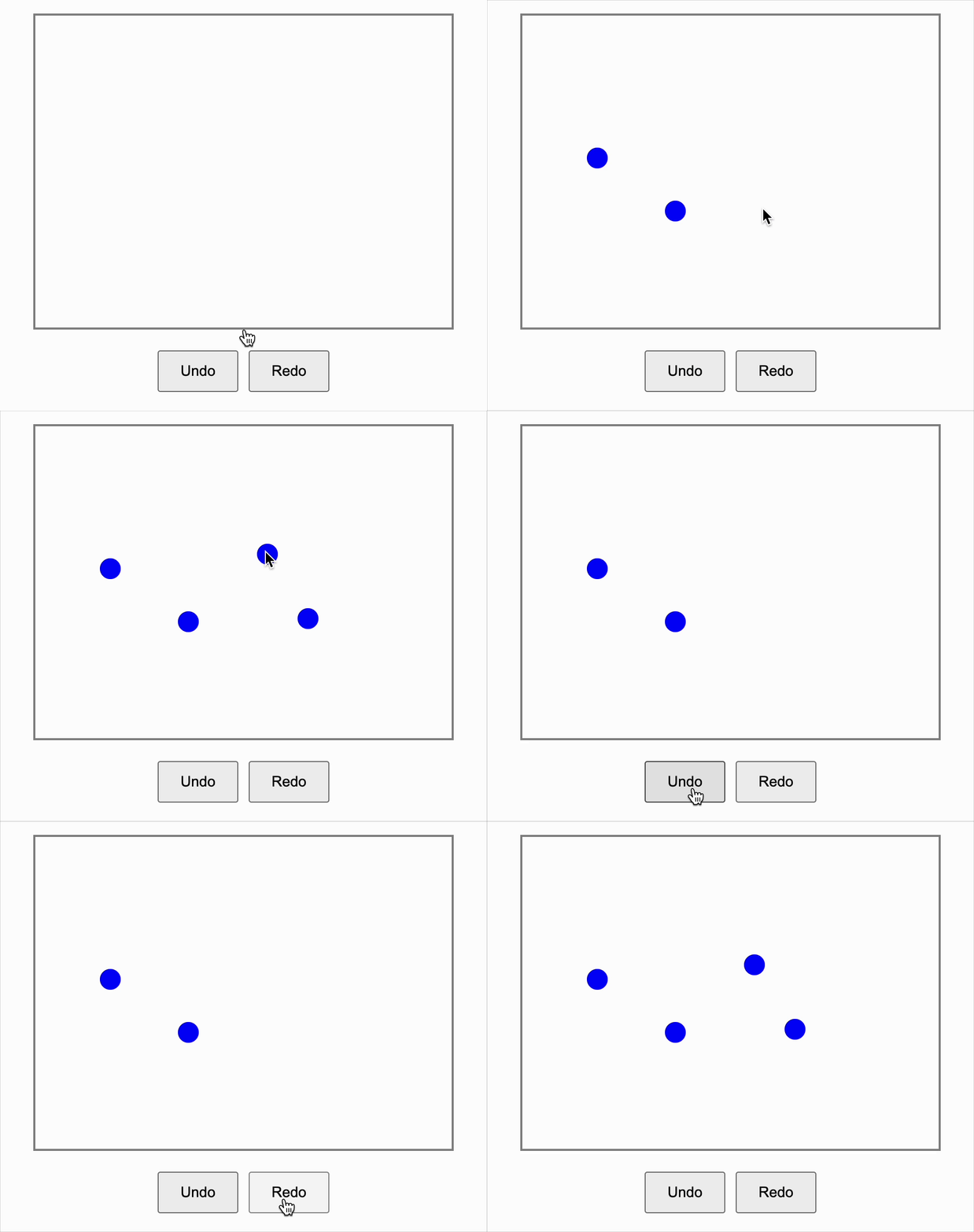
You have to build a simple Draw Circles React component where users can draw circles by clicking anywhere inside a drawing area. The component should also provide Undo and Redo functionalities to remove or re-add circles in the order they were added.
Things To Do
-
Draw Circles on Click
- Whenever the user clicks inside the drawing area, a new circle should appear exactly at the clicked position.
-
Undo Functionality
- Implement an Undo button that removes the most recently drawn circle.
-
Redo Functionality
- Implement a Redo button that re-adds the last undone circle.
-
Multiple Undo/Redo Steps
- Allow users to undo and redo multiple times, moving backward and forward through their drawing actions.
-
Keyboard Shortcuts (Optional )
- Support Ctrl+Z to Undo and Ctrl+Y to Redo.
-
Instant Visual Feedback
- Circles should appear and disappear immediately when drawing, undoing, or redoing.
Important Note
- The drawing area should have a fixed size (e.g., 400x300 px) with a visible border.
- Circles can be simple colored dots (e.g., 20px diameter blue circles).
- When a new circle is drawn after an Undo, the Redo stack should clear.
- Use descriptive class names like .circle, .undo-btn, .redo-btn where applicable.
- Make sure mouse click coordinates are calculated relative to the drawing area container.
Data Test IDs
-
data-testid="drawing-area"- The main area where users can click to draw circles. Used as the event target in click simulations. -
data-testid="circle"- Each circle drawn in the area gets this test ID. Multiple elements with this ID can exist. -
Button must be labeled "Undo" that removes the most recently drawn circle.
-
Button must be labeled "Redo" that restores the most recently undone circle.
Reference UI
Companies:
Solve Similar questions 🔥
Want to upskill? Explore our courses!

Namaste AI
Learn to build modern AI applications with real-world projects.

Namaste DSA
Master DSA from scratch with numerous problems, and expert guidance.

Namaste React
Wanna dive deep into React and become Frontend Expert? Learn with me now!

Namaste Frontend System Design
The most comprehensive and detailed course for frontend system design.

Namaste Node.js
Wanna dive deep into Node.js? Enroll into `Namaste Node.js` now!