

Confirmation Modal
React.js
easy
30 mins
Create a React modal component that displays a confirmation prompt to the user with options to either confirm or cancel an action.
Requirements
- A button labeled
"Open Confirmation Modal"triggers the modal. - Upon clicking the button:
- A modal appears.
- The modal includes:
- A title
"Confirm Action" - A message
"Are you sure you want to proceed?" - Two buttons:
"Confirm"and"Cancel"
- A title
- On clicking
"Confirm":- The modal should close.
- A status message below appears:
"Confirmed"
- On clicking
"Cancel":- The modal should close.
- A status message below appears:
"Cancelled"
Edge Cases & Constraints
- Modal should only be visible after the open button is clicked.
- Status messages should update appropriately based on user action.
- Ensure that only one modal appears at a time.
Data Test IDs (required for testing):
data-testid="open-modal-button": Button to open the modaldata-testid="confirmation-modal": The modal container boxdata-testid="modal-title": Title inside the modaldata-testid="modal-message": Message text inside the modaldata-testid="confirm-button": Confirm action buttondata-testid="cancel-button": Cancel action buttondata-testid="action-status": Text showing the result of the user’s action
Reference UI
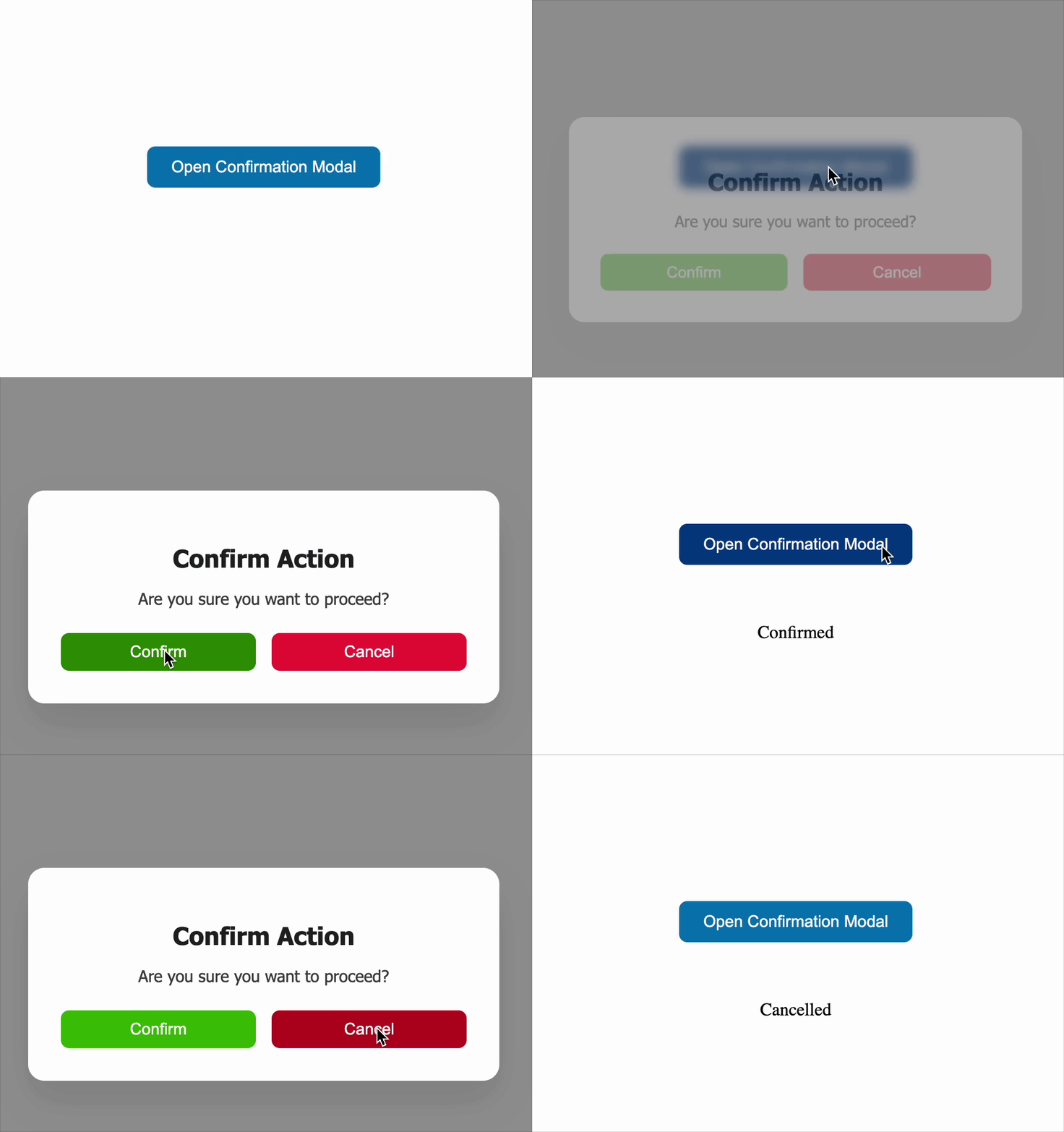
Preview what you need to build
Companies:
stripe
paypal
linkedin
Solve Similar questions 🔥
Want to upskill? Explore our courses!

Namaste AI
Learn to build modern AI applications with real-world projects.

Namaste DSA
Master DSA from scratch with numerous problems, and expert guidance.

Namaste React
Wanna dive deep into React and become Frontend Expert? Learn with me now!

Namaste Frontend System Design
The most comprehensive and detailed course for frontend system design.

Namaste Node.js
Wanna dive deep into Node.js? Enroll into `Namaste Node.js` now!