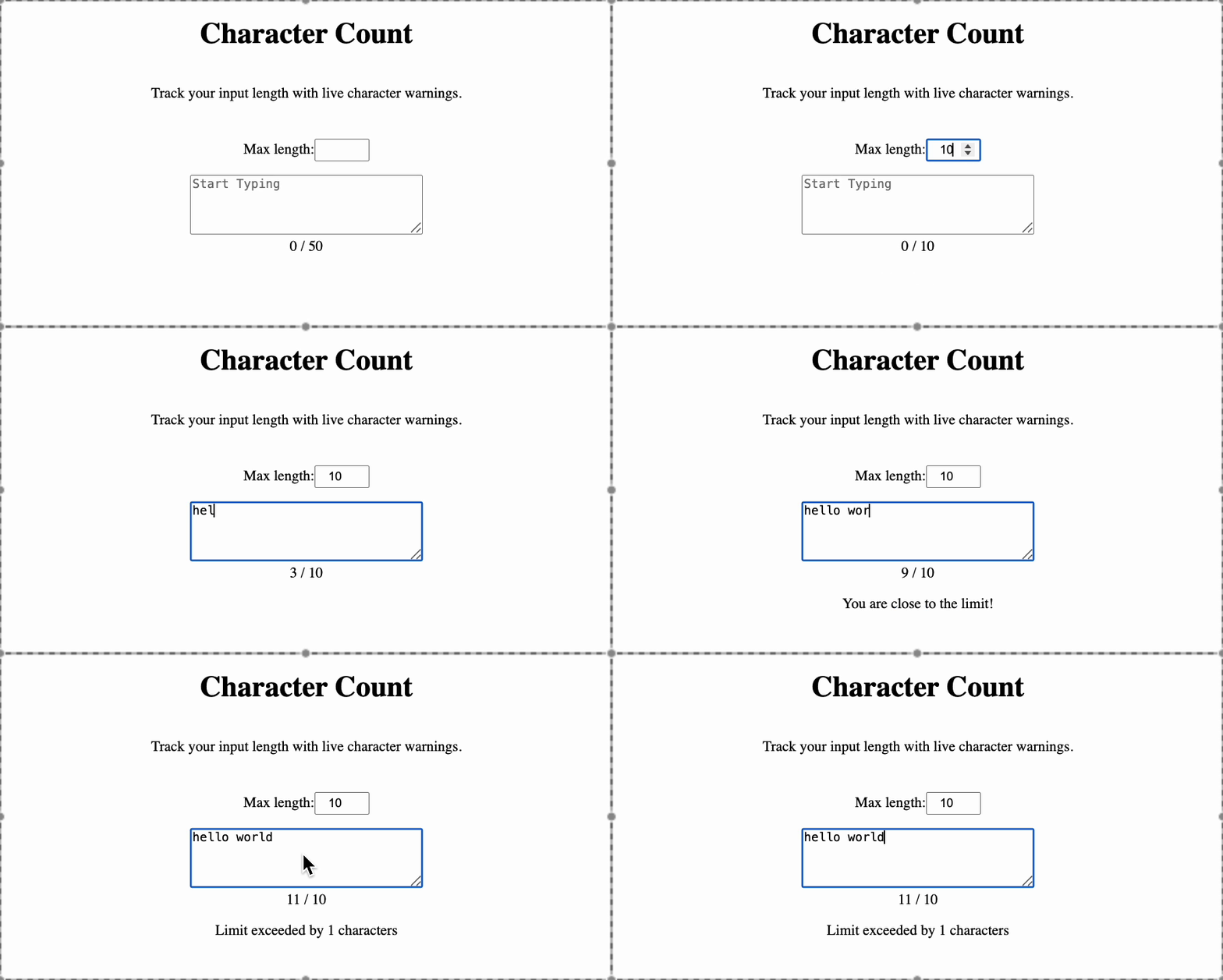
Displays a live character count (A / B). Ex. 5/25 where 5 is character count and 25 is max length
Allow the user to set a custom character limit using a number input field (maxLength)
Display a warning message when the user reaches 90% of the limit. The error message must be "Limit exceeded by x characters", where x is the number of characters exceeded."
Display an error message when the user exceeds the character limit. The error message must be "You are close to the limit!"
Features to be Done
The default max character length: 50
Display the character count in the format: currentLength / maxLength.
Warning must be shown at: 90% of the limit (e.g., 45 of 50).
Testing Instructions
Please use the following data-testid attributes in your React component to help us run automated tests:
textarea → for the text area input.
maxlength → for the input where user enters maximum allowed length.
char-info → for the character count display (A / B).
warning-text → for the warning message shown near the limit.
error-text → for the error message shown after exceeding the limit.