

BMI Calculator
React.js
medium
25 mins
Create a BMI (Body Mass Index) Calculator in React. The application should allow users to enter their weight in kilograms and height in centimeters, and on clicking a button, it should compute the BMI and display the corresponding category.
Requirements
Input Fields
- Weight (in kg) with placeholder "Weight (kg)"
- Height (in cm) with placeholder "Height (cm)"
On Clicking a button with label "Calculate BMI"
- Use the formula:
BMI = weight / ((height / 100) ^ 2) - Round the BMI to 1 decimal place
- Display:
- The BMI value - The BMI value with the text: "Your BMI: X"
- The BMI category - The BMI category with the text: "Category: Y"
- Where X is the calculated BMI and Y is the corresponding category (like Normal, Overweight, etc.).
BMI Categories
- Underweight: BMI < 18.5
- Normal: 18.5 ≤ BMI < 24.9
- Overweight: 25 ≤ BMI < 29.9
- Obese: BMI ≥ 30
Additional Feature
- Add a "Reset" button with label Reset to clear both inputs and the result.
Constraints & Edge Cases
- Weight and height must be positive numbers
- Input fields must not be empty before calculation
- Result should be rounded to 1 decimal place
- Reset must clear all fields and result
- BMI result must not be shown before clicking "Calculate BMI"
Reference UI
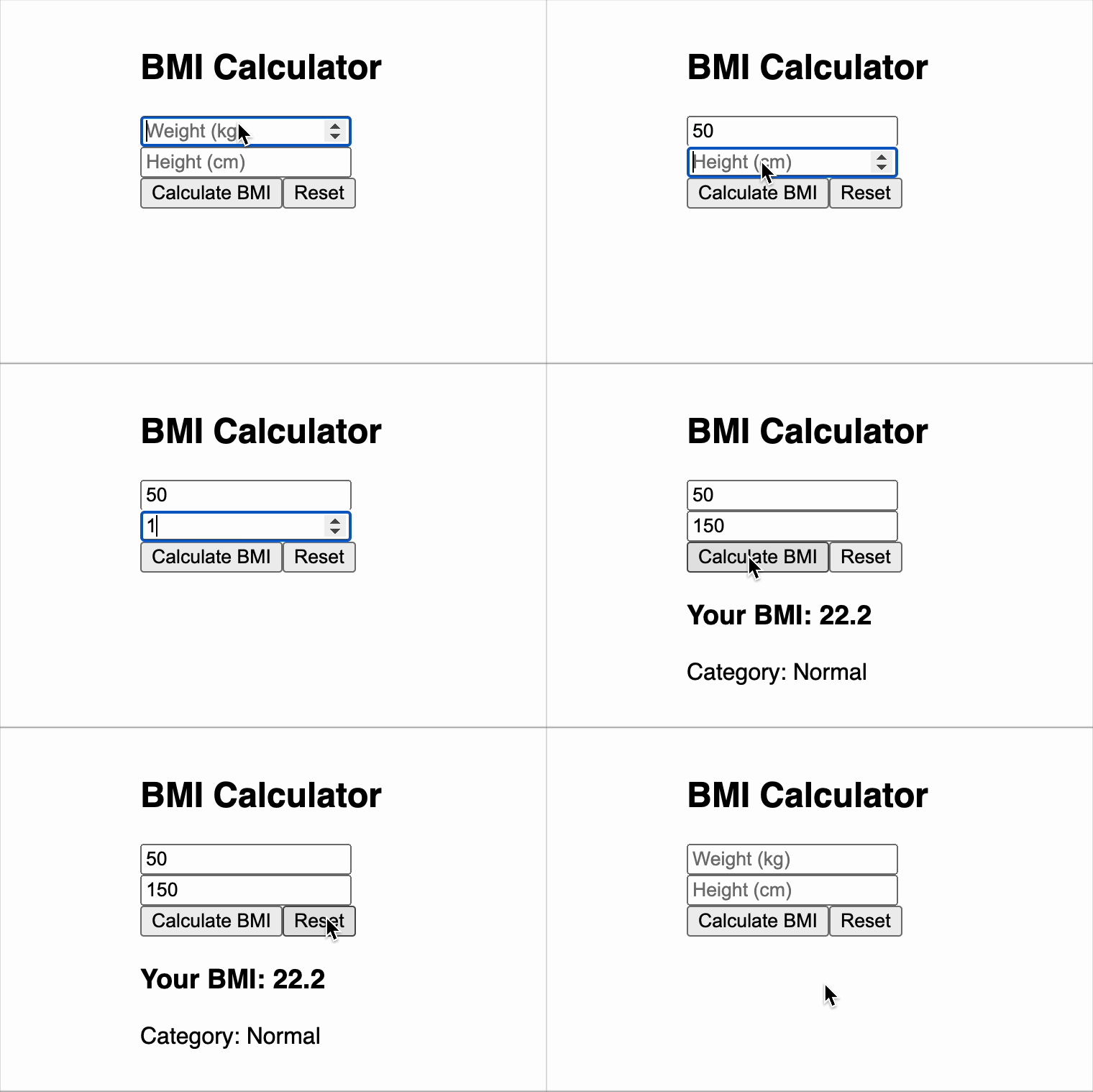
Preview what you need to build
Solve Similar questions 🔥
Want to upskill? Explore our courses!

Namaste AI
Learn to build modern AI applications with real-world projects.

Namaste DSA
Master DSA from scratch with numerous problems, and expert guidance.

Namaste React
Wanna dive deep into React and become Frontend Expert? Learn with me now!

Namaste Frontend System Design
The most comprehensive and detailed course for frontend system design.

Namaste Node.js
Wanna dive deep into Node.js? Enroll into `Namaste Node.js` now!